
Executive Summary
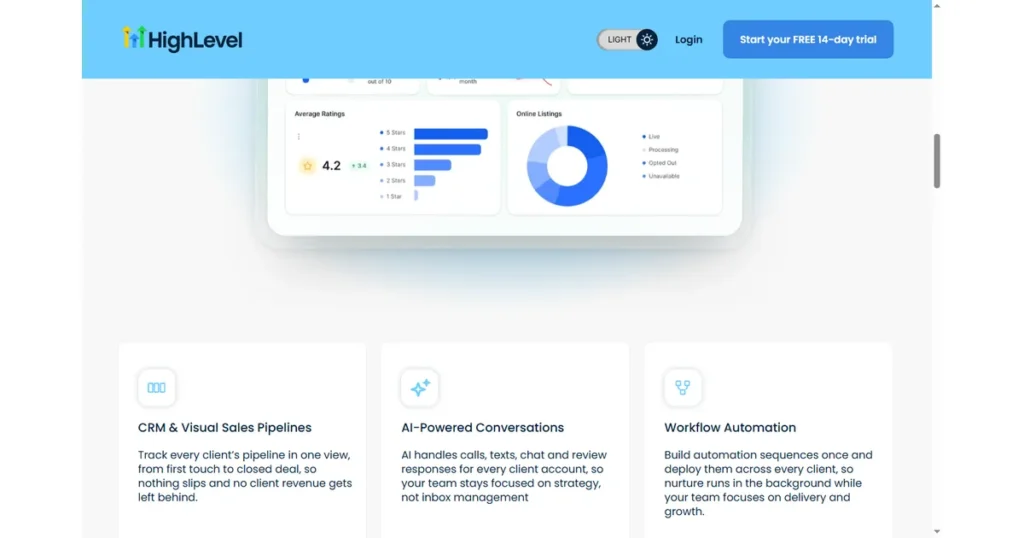
GoHighLevel for freelancers is one subscription that replaces the email, calendar, form, and spreadsheet patchwork a solo practice usually juggles. It suits social media marketers, web designers, VAs, and automation consultants who run several client projects and want a branded client experience without buying five separate apps. It is not for the freelancer with one steady retainer and no follow-up problem, or anyone unwilling to spend 5-10 hours on setup. The 2026 plans start at $97/month Starter or $297/month Unlimited, with a 14-day free trial.
- Best For: Solo freelancers and micro-agencies running multiple client projects.
- Pricing: $97/month Starter or $297/month Unlimited; 14-day free trial.
- Strength: Professional client experience without buying 5 separate tools.
- Drawback: Setup takes time; some features need add-ons.
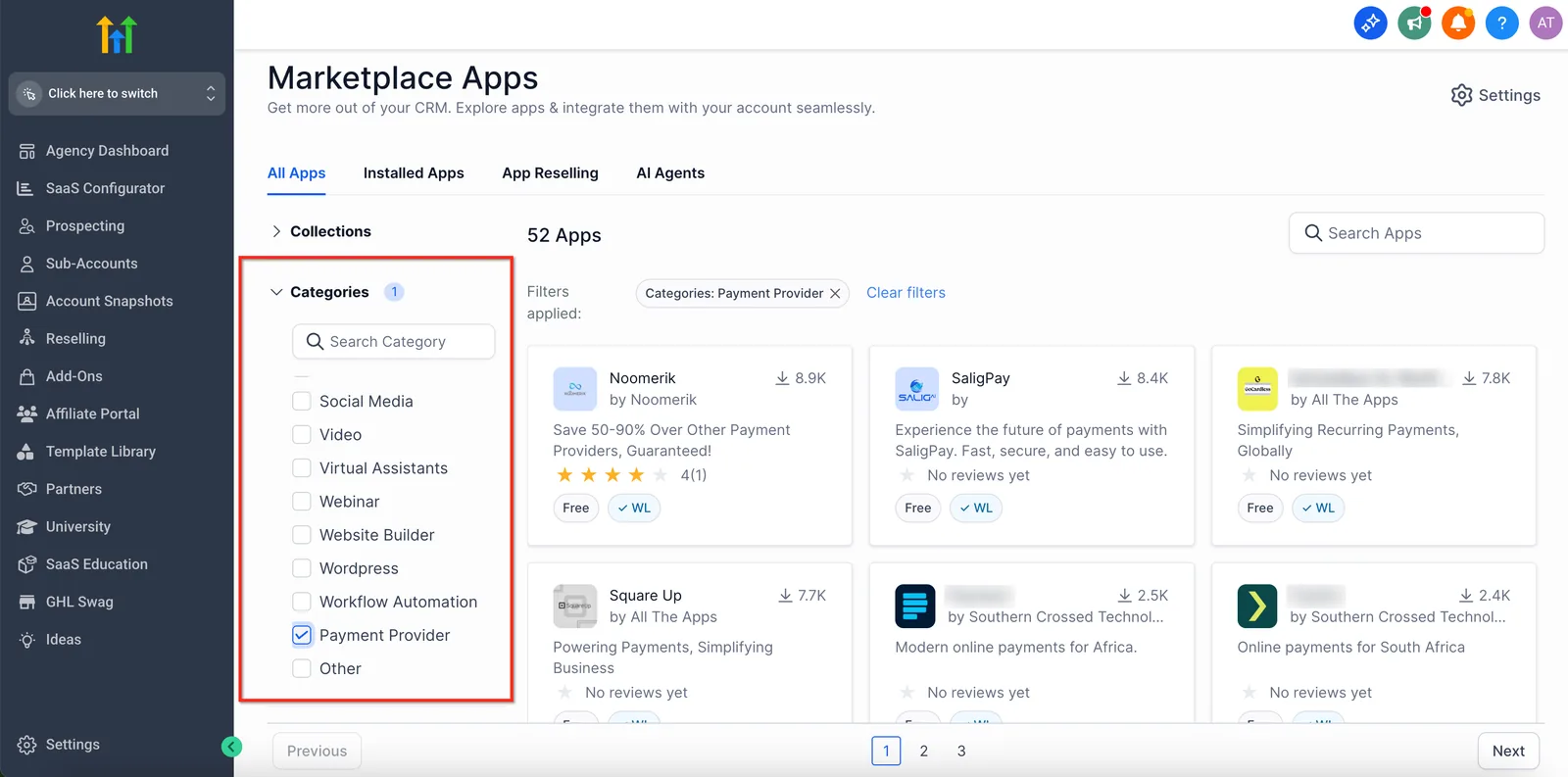
The freelancer advantage is speed: respond to leads instantly, deliver a branded client portal, and automate follow-up while you sleep. GoHighLevel was built for exactly this use case, and its sub-account system means you can scale from solo freelancer to micro-agency without changing platforms.
Table of Contents
- Why Freelancers Choose GoHighLevel
- Step 1: Set Up Your Freelancer Account
- Step 2: Turn Inquiries Into Leads
- Step 3: Automate Proposals and Follow-Up
- Step 4: Deliver Work With Client Portals
- Step 5: Track Income With Pipelines
- The Follow-Up Workflow a Solo Freelancer Builds First
- Two Solo Practices, Two Different Bottlenecks
- GoHighLevel Pricing for Freelancers (2026)
- Is It Worth It for a Solo Freelancer?
- Fast-Track Setup Checklist
- FAQ
Why Freelancers Choose GoHighLevel
Most freelancers start with free tools, then hit the ceiling: no unified inbox, no automation, no branded client experience. GoHighLevel removes that ceiling in one subscription.
- One client database – every inquiry, proposal, and project in one place.
- Automated follow-up – text and email sequences run without you.
- Client portal – deliver files, proposals, and invoices in a branded space.
- Scalable – add sub-accounts and white-label when you become a micro-agency.
For a freelancer billing $1,000-$5,000 per month per client, the platform usually pays for itself with one extra retained client or one faster close.
Step 1: Set Up Your Freelancer Account
Start the 14-day free trial, then complete three setup tasks before building anything:
- Add your brand: logo, colors, and domain.
- Create your first pipeline: Inquiry, Proposal Sent, Active, Retained.
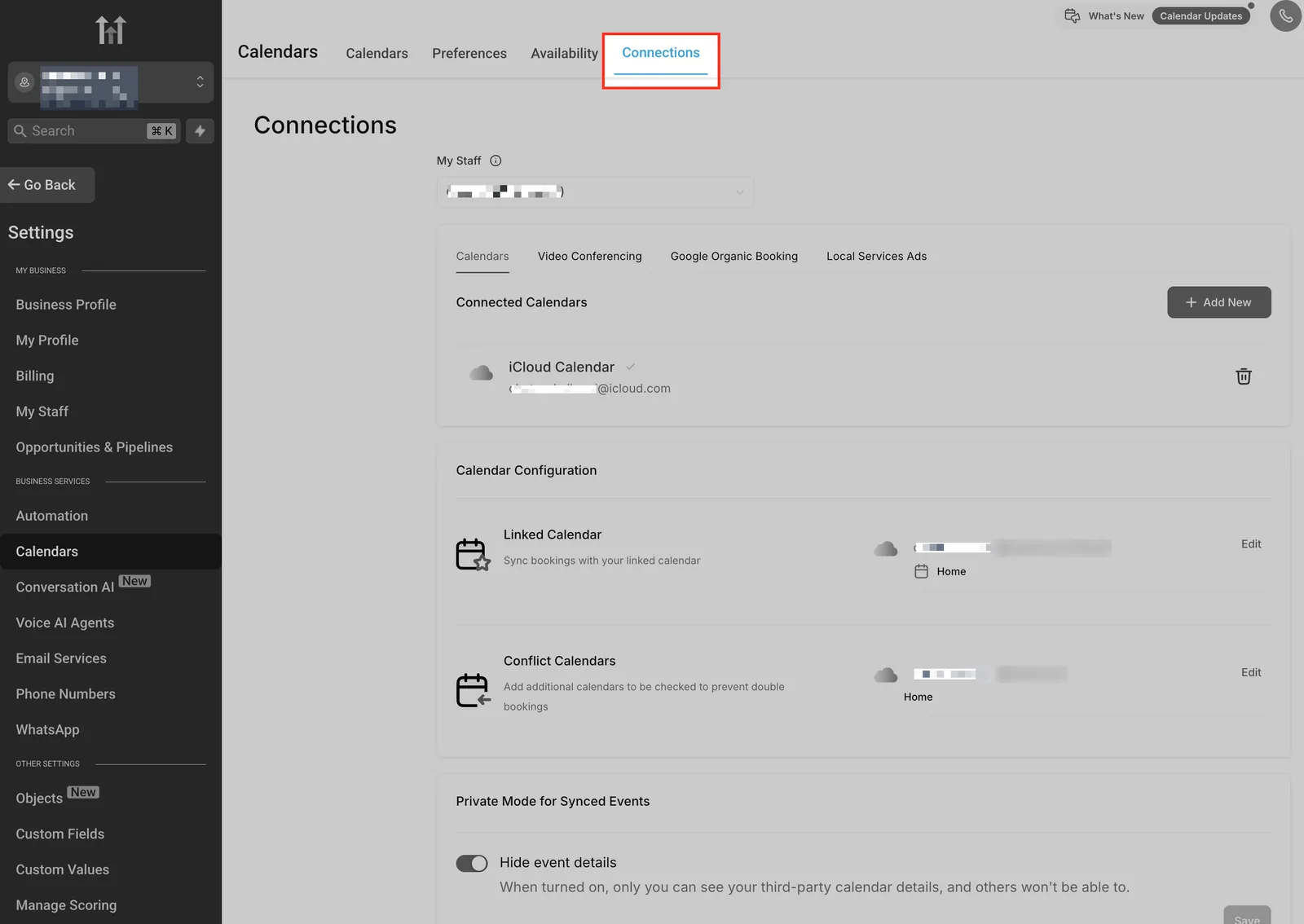
- Connect your calendar and a phone number for two-way SMS.
Use a template from the library if you want a head start – there are ready-made funnels for consultants, photographers, coaches, and digital marketers. Even a customized template saves hours on the first setup.
Step 2: Turn Inquiries Into Leads
Every freelancer needs a repeatable way to capture leads. Build one simple landing page with a form that asks for name, email, and what the prospect needs. Connect the form directly to your CRM so every submission becomes a contact automatically.
Add a booking link to the thank-you page so prospects can pick a discovery call time on the spot. This single step cuts the back-and-forth that kills freelance sales.
Step 3: Automate Proposals and Follow-Up
The money is in follow-up. Most freelancers lose deals simply by forgetting to chase. With GoHighLevel workflows, you can automate:
- Instant reply when a lead submits a form.
- Proposal delivery with a branded document link.
- A 3-day reminder if the proposal is not opened.
- A 7-day check-in and a final close-or-park message.
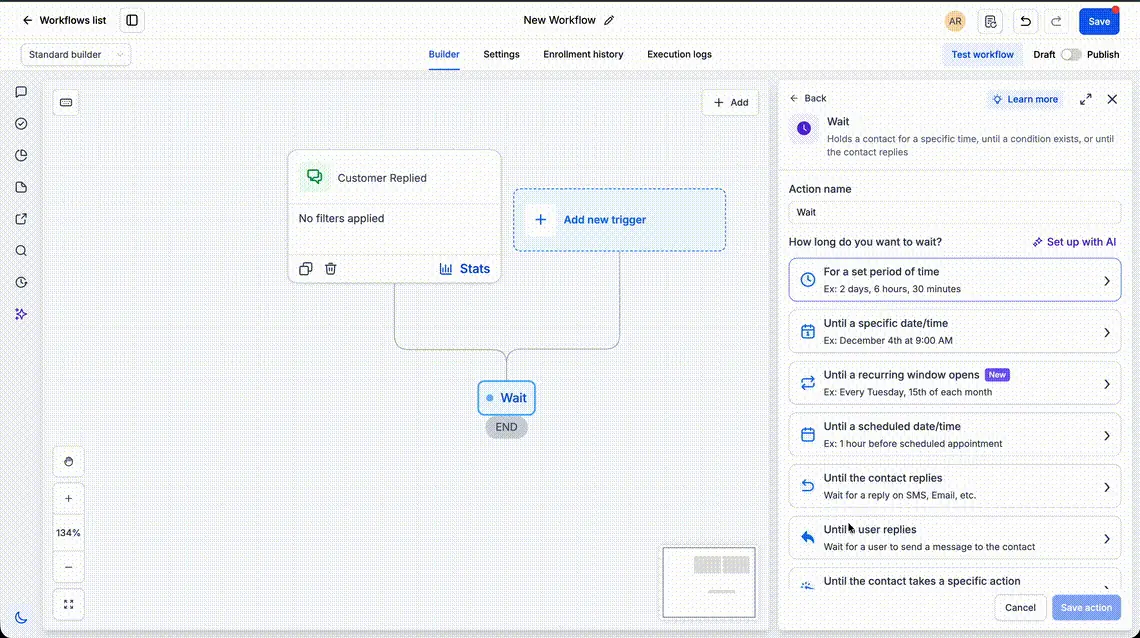
You stay in control – every message is logged, and you can jump in anytime. But the system no longer depends on your memory.
Step 4: Deliver Work With Client Portals
HighLevel lets you create client portals where customers see their project status, files, and messages in one branded place. This is a differentiator: your client experience looks like a real agency, not a freelancer with a Google Drive link.
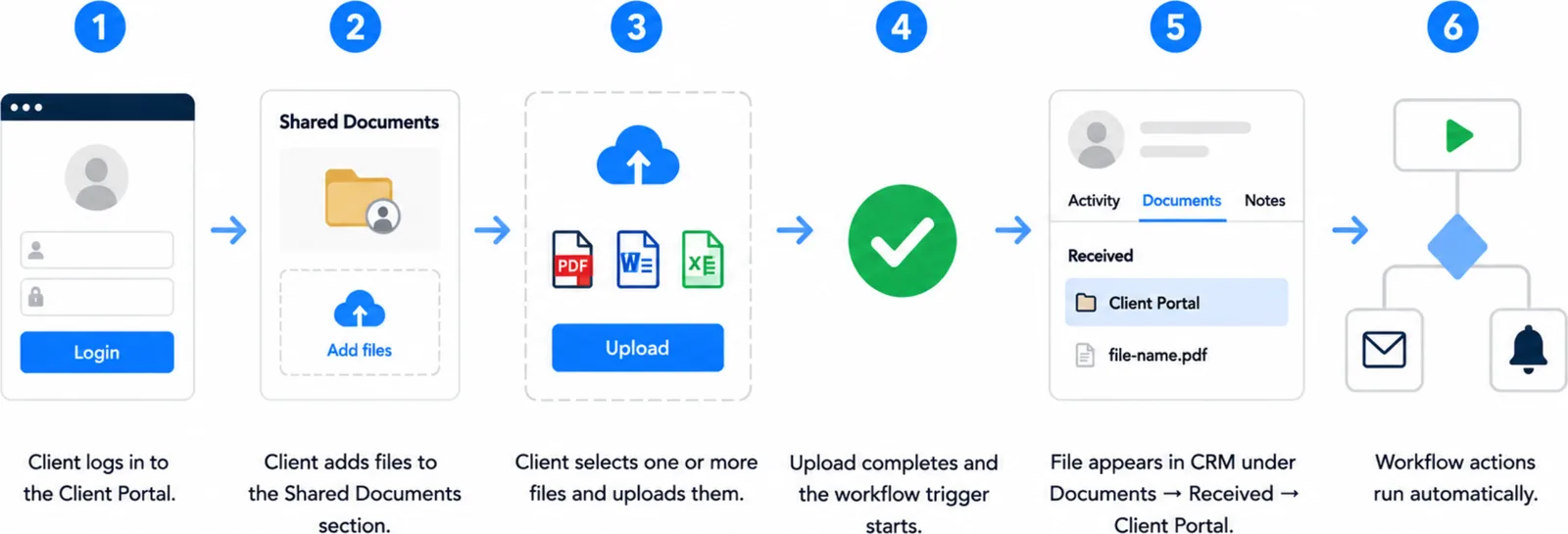
You can also integrate calendar, email, and payment tools so the portal becomes the single source of truth for the relationship.
Step 5: Track Income With Pipelines
Set pipelines by service line (e.g., Social Media Retainers, Web Projects, Consulting) and move deals through stages: Inquiry, Proposal, Negotiation, Won, Delivered. At a glance you see your real pipeline value and which deals are stuck.
This turns freelancing from “hoping for work” into running a small business with a visible sales forecast.
The Follow-Up Workflow a Solo Freelancer Builds First
This is the sequence that turns a form submission into a booked discovery call and a chased proposal, built entirely from GoHighLevel’s workflow builder. If a step does not fire, the automation troubleshooting steps cover the usual causes.
- Trigger: Form Submitted on your landing page form asking for name, email, and project need.
- Action: Send Email ‘Hi {{contact.first_name}}, your project note landed. Pick a 20-minute discovery slot here and I will come prepared with two ideas.’
- Action: Send SMS ‘Hi {{contact.first_name}}, it is [your name]. Just sent you an email with my booking link. Reply here if you would rather set a time by text.’
- Action: Create/Update Opportunity in the Inquiry stage of your pipeline, then Assign to User so the deal has an owner.
- Wait: until the contact replies, capped at 2 days.
- If/Else: contact replied, go to the booking branch. If no reply, send one SMS nudge ‘Still happy to help with {{contact.project_need}} – want me to send a few times?’ and wait 3 more days.
- Trigger: Customer Booked Appointment on your discovery calendar.
- Action: Send SMS ‘You are booked for {{appointment.start_time}}. Reply C to confirm or R to reschedule.’ Then Wait until a fixed delay of 1 day before the appointment time and send a reminder email.
- Trigger: Pipeline Stage Changed to Proposal Sent. Action: Send Email with the branded proposal link, then Wait 3 days. If/Else: proposal not opened, Send SMS ‘Checking in on the proposal – any questions I can clear up?’ If opened, Add Task for a personal call.
- Wait: 7 days from proposal sent. Action: Send Email ‘I will park this for now so it is not cluttering your inbox. Reply anytime and I will pick it back up.’ Then Add Contact Tag ‘parked’ and Remove from Workflow.
Measure four numbers: form-to-booking rate, reply rate on the first SMS, proposal open rate, and days from inquiry to signed deal. If the booking rate stays flat, shorten the first email. If proposals stall at the three-day mark, move the check-in earlier. The full automation setup walkthrough shows how each block is wired.
Two Solo Practices, Two Different Bottlenecks
Imagine a freelance web designer in Austin, Texas, running three active projects and fielding about 20 inquiries a month. Proposals go out by email, and roughly half sit unanswered because she forgets the second nudge while deep in build work. If a three-touch follow-up sequence recovers just two of those stalled proposals at $1,500 each, that is $3,000 in a month she would otherwise write off. The change is not more selling. It is a workflow that sends the first reply within a minute, delivers the proposal link, waits three days, then sends a check-in and a close-or-park note, all logged in one contact record. This is a hypothetical scenario, not a reported result.
Imagine a virtual assistant in Portland, Oregon, with four retainer clients and a shared Google Drive. Every file request turns into a thread of emails, and one client keeps asking for status updates. A branded portal where each client sees project status, shared documents, and messages removes that thread. If it saves three hours of status chasing a week at a $60 hourly rate, that is $720 a month, before counting the retainer she can raise for a more professional delivery experience.
GoHighLevel Pricing for Freelancers (2026)
The published 2026 pricing gives freelancers two sensible entry points:
| Plan | Monthly Price | Best For |
|---|---|---|
| Starter | $97/month | 1-3 users, basic funnels and email, limited contacts |
| Unlimited | $297/month | Unlimited contacts, workflows, SMS/email, calendar, reviews |
| Agency Pro | $497/month | Unlimited sub-accounts, white label, SaaS mode – for marketers |
A solo freelancer usually starts on Starter, then upgrades to Unlimited when they want unlimited contacts and full SMS. Add-ons (extra phone numbers, reputation, AI) cost extra and can wait.
Is It Worth It for a Solo Freelancer?
Run the math: if GoHighLevel helps you close one more $500-$2,000 project per quarter, it pays for a full year. The real cost is time – expect 5-10 hours to set it up properly. For freelancers who want to look professional and stop losing follow-ups, it is one of the best investments available.
Fast-Track Setup Checklist
- Start the 14-day free trial, no credit card needed.
- Add brand, logo, and domain.
- Create the Inquiry to Retained pipeline.
- Connect calendar and phone number.
- Build one landing page with a booking link.
- Create an automated follow-up workflow.
- Open a client portal for your first real project.
FAQ
Three questions settle it. Do you juggle more than one client project at a time? Do you lose deals to forgotten follow-up rather than price? Do you want a branded portal instead of a shared drive link? Three yes answers make the $97/month Starter plan an easy call, and the 14-day trial lets you test the workflow before paying. Two or fewer, and free tools still cover you. Check the plan and pricing breakdown before you commit.
Can I use GoHighLevel alone? Absolutely – the Starter plan is built for solo users, and the Unlimited plan adds more power as you grow.
What is the cheapest plan? Starter is $97/month; the 14-day trial is free and does not require a credit card.
Do I need technical skills? Basic familiarity with CRM and funnels helps, but templates and the academy make it manageable for most freelancers.
Can I upgrade later? Yes – you can change plans from the billing dashboard anytime; upgrades are prorated.
Disclaimer: We are an independent review site. Some links in this article are affiliate links, and we may earn a commission at no extra cost to you if you purchase through them. We only recommend tools we test in real client operations.
About the Author

Antonio Vance is B2B SaaS Operations Director & Lead Reviewer (SaaSFlowLab Editorial Team). He has spent 8+ years deploying and auditing enterprise CRM, marketing automation, and email deliverability infrastructures for digital agencies. At SaaSFlowLab, he directs hands-on testing of software stacks in live production environments to deliver uncompromised, field-verified software reviews.