
Executive Summary
What is the real reason agents search for GoHighLevel for real estate? It is not a lead shortage, it is a follow-up gap. Inquiries arrive from portals, weekend open houses and old clients, then sit untouched while you are out at a showing. GoHighLevel answers that gap with an instant SMS reply and a call task the moment a lead lands, then keeps the conversation moving with timed texts, emails and call reminders. This guide covers buyer and seller pipelines, the six core automations, the MLS/IDX gap, pricing and a 30-day setup plan.
Before you buy anything, understand the core promise: real estate is a follow-up business, and GoHighLevel removes the manual follow-up bottleneck. If you currently lose leads because they go cold after the first call, this is the tool that fixes that. See our full GoHighLevel pricing review for 2026 for the exact plan breakdown.
Table of Contents
- Why Real Estate Agents Switch to GoHighLevel
- What GoHighLevel Does for Real Estate (Feature by Feature)
- Real Estate Pipelines: Buyer & Seller Stages
- The 6 Automations Every Real Estate Agent Needs
- Building the Fast 5 Lead Response Flow in GoHighLevel
- Two Illustrative Scenarios: A Solo Buyer’s Agent and a Three-Person Listing Team
- MLS / IDX: The One Thing GHL Does Not Do
- GoHighLevel vs Follow Up Boss vs kvCORE
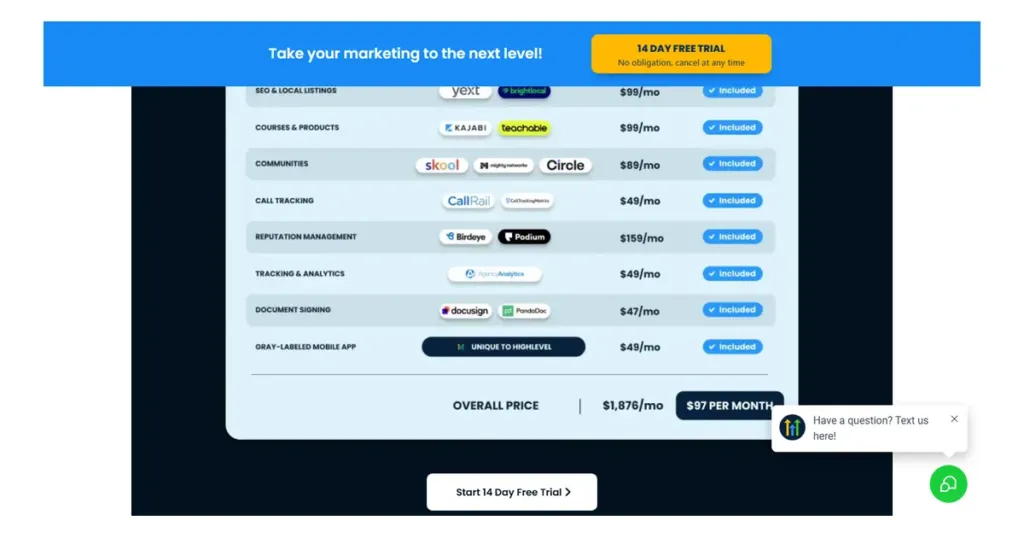
- Pricing for Real Estate in 2026
- 30-Day Setup Plan for a Real Estate GHL Account
- Common Setup Mistakes Agents Make
- FAQ
- Who Should Buy GoHighLevel for Real Estate
Why Real Estate Agents Switch to GoHighLevel
The average agent does not have a lead problem – they have a follow-up problem. Leads come from Zillow, open houses, past clients and referrals, and most go cold because nobody responds fast enough. The three reasons agents switch:
- Speed to lead – 78% of buyers work with the first agent to respond. GHL sends an instant SMS reply and queues a call task the second a lead arrives.
- One system instead of five – CRM + funnels + SMS + calendar + reviews in one login, instead of Follow Up Boss + Mailchimp + Calendly + a review tool.
- Follow-up that actually happens – workflows text, email, and call on day 1, day 3, day 7, and day 30 automatically, so no lead sits untouched.
If you are comparing platforms, read our GoHighLevel alternatives guide to see how it stacks up against the rest of the market.
What GoHighLevel Does for Real Estate (Feature by Feature)
| Feature | What it does for agents | What it replaces |
|---|---|---|
| Unified CRM & timelines | Every lead, property interest, call and email in one contact timeline | Replaces Follow Up Boss / kvCORE contact database |
| Pipelines | Visual buyer & seller stages with drag-and-drop deals | Replaces spreadsheet tracking |
| SMS / email automation | Speed-to-lead texts, nurture sequences, open house reminders | Replaces Mailchimp + manual texting |
| Booking calendar | Showing scheduler with calendar integrations | Replaces Calendly / ShowingTime booking |
| AI follow-up (Conversation AI) | AI answers, qualifies, and books showings 24/7 | Replaces after-hours missed calls |
| Reputation management | Auto review requests after closing | Replaces manual review campaigns |
| Call tracking & phone | Built-in phone numbers, missed-call text-back | Replaces separate VoIP tools |
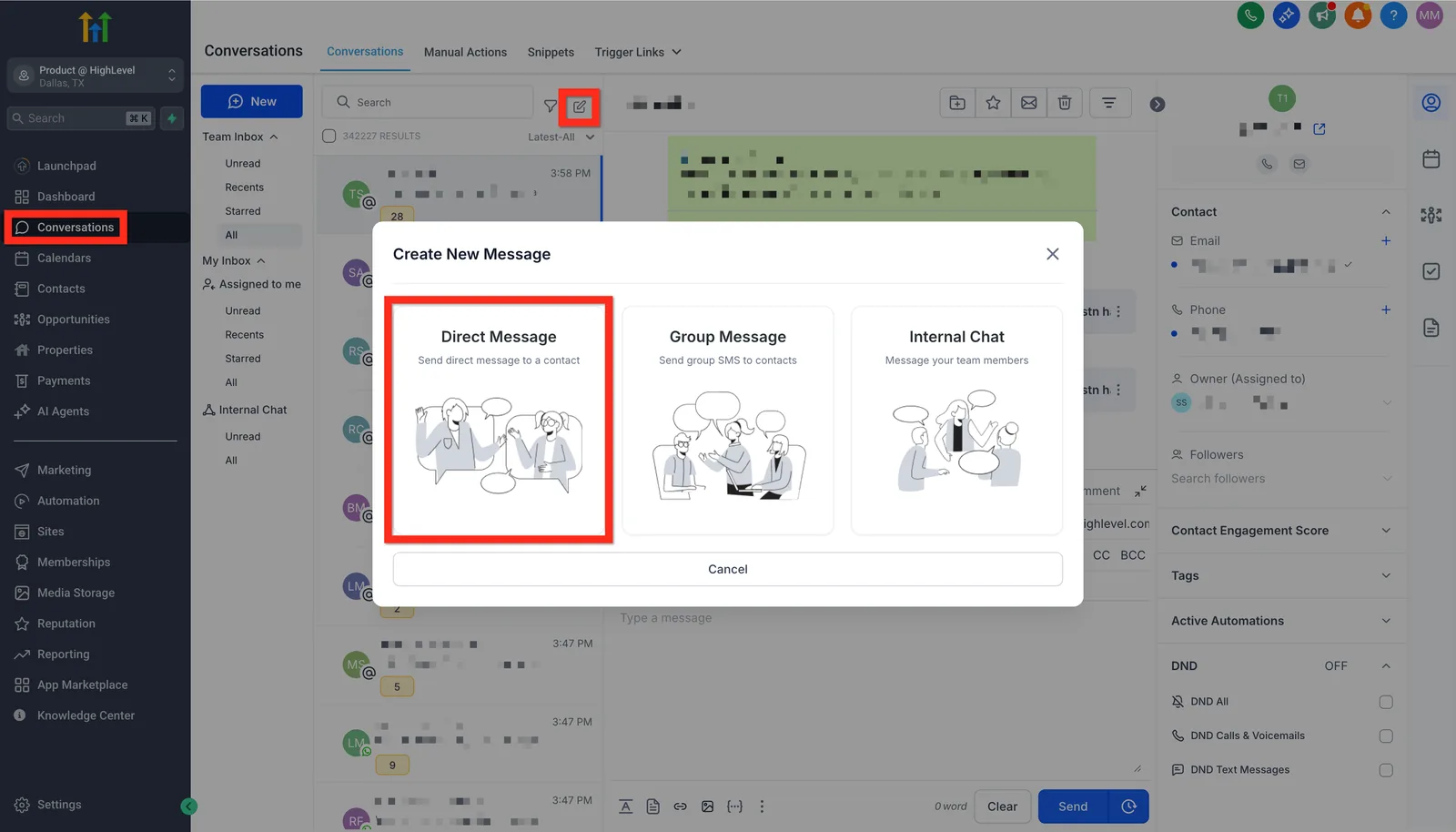
The differentiating feature is the Conversations inbox + workflows together: every lead lands in one feed, and every touchpoint is automated without you touching a dialer.
Real Estate Pipelines: Buyer & Seller Stages
GoHighLevel pipelines let you model your exact deal flow. The two most common setups:
Buyer Pipeline (9 stages)
- New Lead (source auto-tagged: Zillow, website, referral)
- Qualified (budget + area confirmed by SMS bot)
- Searching (property alerts and saved searches sent)
- Showing Booked
- Showing Done
- Offer Made
- Under Contract
- Closing
- Past Client (reactivation workflow)
Seller Pipeline (7 stages)
- New Lead (CMA request or “what’s my home worth”)
- CMA Delivered (auto-email with valuation)
- Appointment Booked
- Listing Presentation
- Listing Signed
- Under Contract
- Closed + Review Request
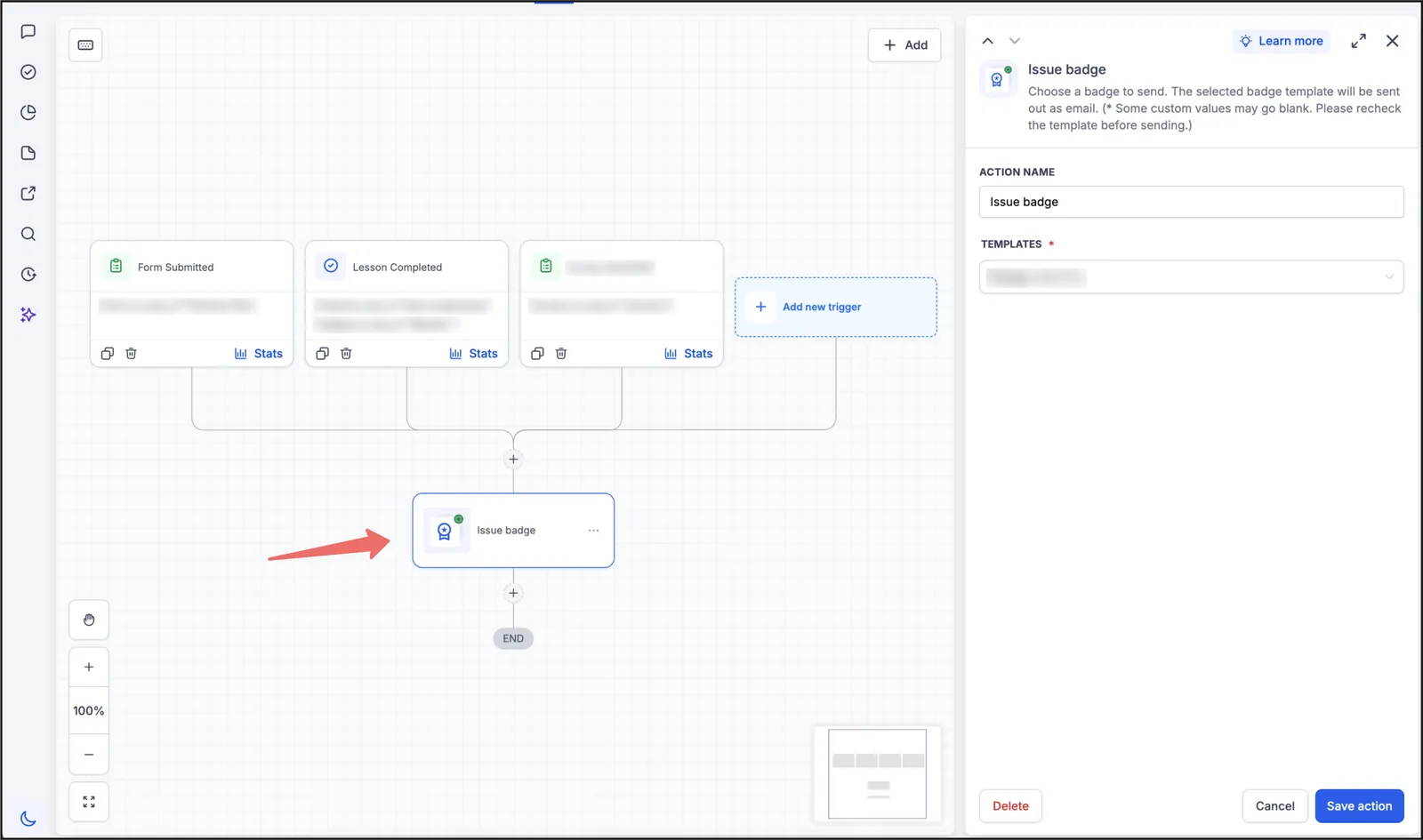
Each stage can trigger a workflow: stage change to “Showing Booked” sends a confirmation text; “Closed” sends a review request and a referral ask.
The 6 Automations Every Real Estate Agent Needs
These six workflows cover 80% of what a real estate GHL account should do out of the gate:
- Instant Lead Response (Fast 5) – trigger: form submit / new tag. Action: immediate SMS + email, assign task to agent, add to nurture sequence.
- Missed Call Text-Back – trigger: missed call event. Action: auto-text within 60 seconds “Sorry we missed you” + link to book a showing.
- Seller Nurture (CMA) – trigger: “what’s my home worth” form. Action: deliver CMA by email, then text on day 1/3/7.
- Open House Follow-Up – trigger: open house tag. Action: next-day thank-you text + ask if they want to see similar listings.
- Post-Closing Review & Referral – trigger: deal closed stage. Action: review request SMS, then referral ask on day 7.
- Lead Reactivation – trigger: contact older than 90 days, last touch > 30 days. Action: re-engagement text + new listing alert.
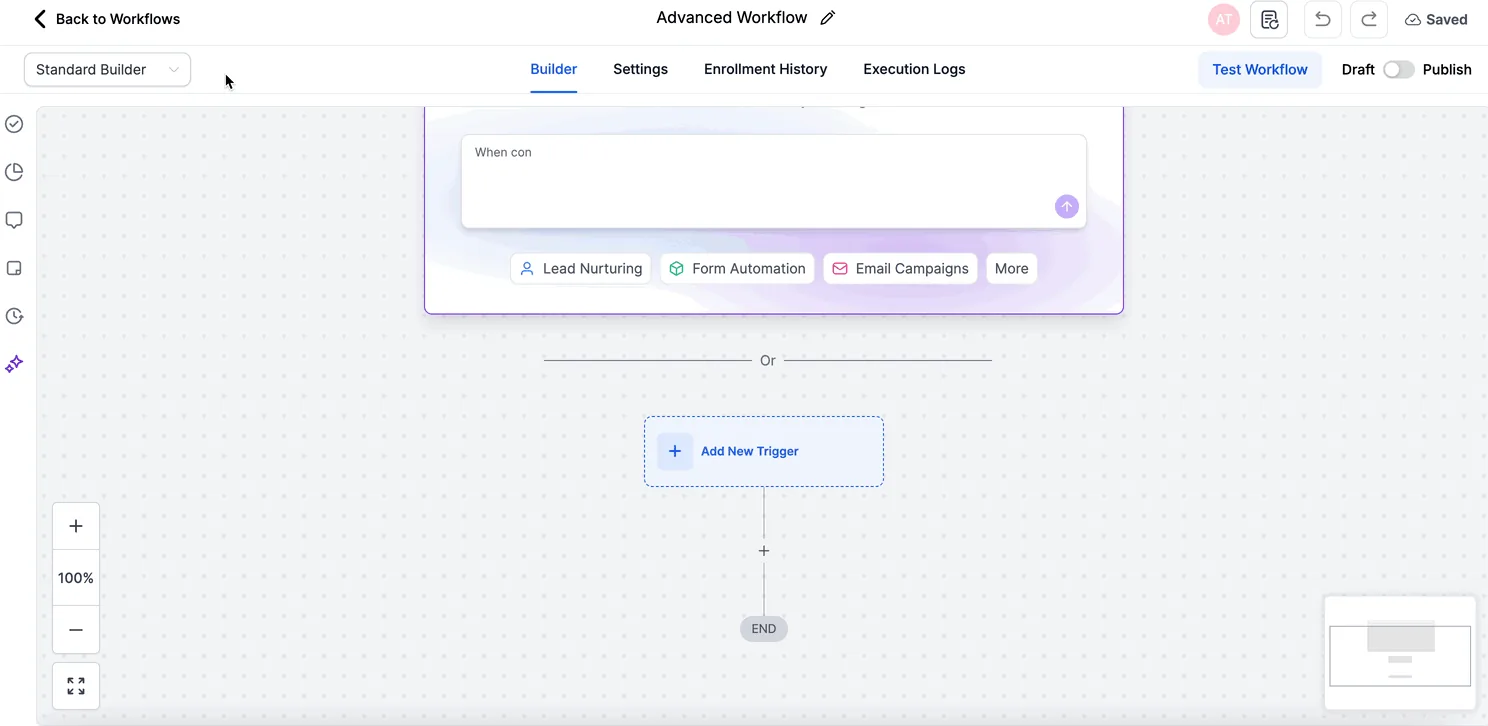
Pro tip: use an email and SMS follow-up sequence for the first qualification step. The workflow asks about budget, timeline, and area, tags the contact, and books the showing when they reply. That single sequence removes the biggest dead spot – the hours between 6pm and 9am.
Building the Fast 5 Lead Response Flow in GoHighLevel
This is the first automation to build in any real estate account. It answers every new lead within seconds, then keeps working until the contact replies or books a showing.
- Trigger: Form Submitted on your website buyer form, or Facebook Lead Form Submitted for portal and ad leads. Both feed the same workflow.
- Action: Add Contact Tag ‘lead-hot’ and Update Contact Field for lead source, so every contact carries its origin into reporting.
- Action: Send SMS ‘Hi {{contact.first_name}}, this is Dana with Keyline Realty. I saw your request about homes in {{contact.area}}. Are you looking to buy in the next 30 days, 60 days, or just browsing?’
- Action: Send Email with the same first question plus two matching listings and a link to your booking calendar.
- Action: Create/Update Opportunity in the Buyer Pipeline at stage New Lead, and Assign to User so the agent owns the record.
- Action: Internal Notification to the assigned agent: ‘New lead {{contact.first_name}} from {{contact.lead_source}} — call within 5 minutes.’
- Wait: 10 minutes, then If/Else on whether the contact replied. If yes, go to the booking branch. If no, continue.
- Action: Send SMS ‘Just making sure this reached you, {{contact.first_name}}. Want me to send a short list of homes that fit your budget?’ Then Add Task for a call in 1 hour.
- Wait: until the contact replies, or 24 hours, whichever comes first. On reply, Customer Replied fires and the workflow moves the opportunity to Qualified.
- If/Else: if the contact books through Customer Booked Appointment, send ‘You are confirmed for {{appointment.start_time}}. Reply C to confirm or R to reschedule.’ If no booking after 3 days, Add to Workflow for the long-term nurture sequence.
Measure four things: median time from form submit to first SMS, reply rate on the first message, booking rate per 100 leads, and how many leads reach the Qualified stage. If reply rate is low, rewrite the first text. If bookings lag replies, the calendar link or the follow-up timing is the problem, not the lead source. For a deeper build, see setting up automation in GoHighLevel.
Two Illustrative Scenarios: A Solo Buyer’s Agent and a Three-Person Listing Team
These are hypothetical examples built to show the math, not reports of real clients or measured results. You can redo the arithmetic for your own business.
Imagine a solo buyer’s agent in Charlotte, North Carolina, working portal leads and weekend open houses. She handles about 40 new leads a month and closes roughly 2. Her problem is not volume, it is the evening window: inquiries that arrive after 6 pm wait until the next morning, and by then many have already talked to another agent. She builds a Fast 5 workflow in GoHighLevel. Every form submit gets an SMS within seconds, a call task lands on her phone, and a three-message nurture runs until the contact replies or books. If faster first contact lifts her close rate from 2 to 3 deals a month on the same 40 leads, and her average commission is $8,000, that is $8,000 more per month from leads she already paid for.
Imagine a three-person listing team in Phoenix, Arizona, running about 25 seller valuation requests a month. The team lead delivers each CMA by hand, usually two or three days later, and roughly 10 of the 25 go quiet before the listing presentation is even booked. They build a seller pipeline with a CMA delivery workflow: the valuation email goes out immediately, a text follows on day 1, day 3 and day 7, and a task appears for the listing agent. If the faster sequence saves 4 of those 10 stalled conversations a month and 2 convert to listings at a $9,000 average commission, that is $18,000 a month in recovered pipeline. The point is not the exact figure, it is that the leak was timing, not lead quality.
MLS / IDX: The One Thing GHL Does Not Do
Be honest about the gap: GoHighLevel has no native MLS / IDX search. You cannot pull live listings from your local MLS into GHL out of the box.
- IDX integration – connect an IDX provider (like Real Geeks, iHomefinder, or Sierra Interactive) and embed IDX search on your GHL site.
- Zillow / portal leads – use Zillow Premier Agent or a lead-gen integration to push portal leads into GHL pipelines.
- ShowingTime / Dotloop – keep those tools for showings and transactions; GHL handles the CRM + follow-up around them.
- Listing alerts – build a workflow that emails new matching listings to buyers from your IDX source.
For most agents this is fine – GHL replaces the CRM and marketing stack, not the MLS system your brokerage already pays for.
GoHighLevel vs Follow Up Boss vs kvCORE
| GoHighLevel | Follow Up Boss | kvCORE | |
|---|---|---|---|
| Price (entry) | $97/mo (Starter) | $69/mo | $79/mo |
| Follow-up automation | SMS + email + AI bot + call | SMS/email | SMS/email + transaction mgmt |
| Funnel / website builder | Built-in | Add-on cost | Add-on cost |
| MLS / IDX | No native (integrate) | No native | Native IDX on some plans |
| Reputation management | Built-in | No | Partial |
| Best for | Agents who want one system + automation | Agents who only need CRM + texting | Teams needing transaction management |
The verdict: if you need a pure real estate CRM with IDX, Follow Up Boss or kvCORE are safer. If you want one system that captures, automates, and closes – including funnels, AI follow-up, and reviews – GoHighLevel gives you more for the money. We compare it against more platforms in our GoHighLevel vs HubSpot breakdown.
Pricing for Real Estate in 2026
| Plan | Price | What you get | Best for |
|---|---|---|---|
| Starter | $97/mo | 1 sub-account, 3 users, basic automation | Small solo agent |
| Unlimited | $297/mo | Unlimited sub-accounts & users, full automation, API | Teams & brokerages |
| SaaS Pro / Agency | Custom | White-label, client sub-accounts, SaaS mode | Teams building for other agents |
Real estate teams almost always need Unlimited ($297/mo) because sub-accounts let you run separate pipelines for buyers, sellers, and team members. Start with the free 14-day trial and build one pipeline before you commit.
30-Day Setup Plan for a Real Estate GHL Account
You do not need a consultant for this. Follow this sequence and you will have a working system in 30 days:
- Week 1: Create your account, connect your domain, set up the CRM contacts + custom fields (budget, area, timeline, buyer/seller).
- Week 2: Build the 2 core sequences – Fast 5 lead response and seller CMA nurture. Test them with a test contact.
- Week 3: Build your lead capture – a website form (or IDX embed), a Facebook Lead Ad connection, and a missed-call text-back.
- Week 4: Add review generation + calendar booking, then run your first real lead through the full system.
GoHighLevel Snapshots make this faster: a real estate snapshot is a pre-built template with pipelines, workflows, funnels, and email/SMS sequences already configured. You import it, rebrand it, and connect your own accounts.
GoHighLevel Snapshots for Real Estate: Fastest Setup
If you do not want to build pipelines, workflows, funnels, and sequences from scratch, a real estate Snapshot is the fastest way to get a working system in under a day. A Snapshot is a pre-built template that includes the CRM custom fields, pipelines, automation workflows, email/SMS sequences, landing pages, and even an AI follow-up bot – all configured for a real estate business.
You import the Snapshot into your GHL account, rebrand it with your logo and colors, connect your own phone number and email domain, and replace the sample content with your real listings and lead sources. The main advantage is that the hard part – deciding which tags trigger which workflows, and how the nurture sequences are structured – is already solved by someone who has built it for dozens of agents.
What to check before buying a Snapshot:
- Buyer + seller pipelines included – the Snapshot must cover both sides of the business, not just lead capture.
- Fast 5 workflow included – the instant lead response sequence is the #1 reason agents buy a Snapshot; verify it is configured, not just listed.
- Email + SMS sequences with real copy – check the nurture emails and texts are written, not empty placeholders.
- IDX / lead source integrations – confirm the Snapshot connects to the lead sources you actually use (Zillow, Facebook, website forms, missed calls).
- Ongoing support – some Snapshot sellers include a setup call or documentation; that is worth the extra cost for a first-time user.
Snapshots range from free community templates to $297-$1,000 for agency-grade builds with ongoing support. For an agent who has never configured GHL, paying for a well-reviewed Snapshot is usually cheaper than hiring a GHL consultant for the same setup. See our pricing guide for what the platform itself costs on top of the template.
Common Setup Mistakes Agents Make
- Buying the wrong plan – Starter does not include the sub-accounts and API needed by most teams.
- Skipping the tag system – every lead source must auto-tag (Zillow, open house, referral) or your workflows cannot route correctly.
- Building workflows before lead capture – set up your forms and integrations first, then the automation.
- Forgetting IDX – plan your listing search integration before you promise buyers an IDX portal.
- No test contact – run every workflow with a test contact before going live; a broken workflow silently drops leads.
GoHighLevel for Real Estate FAQ
Why is GoHighLevel good for real estate agents? Yes. It combines CRM, pipelines, SMS/email automation, booking, and reviews into one platform, replacing the typical 4-5 tool stack. It is not MLS-native, but works alongside MLS/IDX via integrations.
Why can GoHighLevel replace Follow Up Boss or kvCORE? For lead capture, follow-up automation, pipeline tracking, and communication, yes. The main gap is native MLS/IDX search, which you solve with an IDX integration.
Why does GoHighLevel integrate with MLS or IDX? Not natively. Connect an IDX provider (Real Geeks, iHomefinder, Sierra) or use Zillow Premier Agent to push portal leads into GHL pipelines.
Why do real estate agents use GoHighLevel for lead follow-up? Workflows trigger on form submits, missed calls, tags, or pipeline stage changes. The classic speed-to-lead workflow texts within 5 minutes, then runs an SMS/email nurture until reply or booking.
What is the Fast 5 rule in real estate? The first agent to respond within 5 minutes is 5x more likely to win the lead. GHL automates instant SMS replies and missed-call text-back so no lead waits.
Why does GoHighLevel cost that much for real estate in 2026? Starter $97/month, Unlimited $297/month. Teams usually need Unlimited for sub-accounts and higher limits. 14-day free trial available.
Who Should Buy GoHighLevel for Real Estate
If your leads go cold because nobody answers after hours, build the Fast 5 workflow first and let it run for 30 days before adding anything else. If you already run a team with separate buyer and seller pipelines, start on the Unlimited plan and import a real estate Snapshot to skip the blank canvas. If native MLS/IDX search is non-negotiable, keep your IDX provider and use GoHighLevel for the follow-up layer around it. Before you commit, read GoHighLevel pricing plans and why agents quit GoHighLevel.
Start with the 14-day free trial, import a real estate Snapshot, and build the Fast 5 workflow first. Compare it with alternatives like ActiveCampaign or HubSpot if you already have a CRM you love. And if automations feel overwhelming, our automation troubleshooting guide covers the common failure points.
Disclaimer: We are an independent review site. Some links in this article are affiliate links, and we may earn a commission at no extra cost to you if you purchase through them. We only recommend tools we test in real client operations.
About the Author

Antonio Vance is B2B SaaS Operations Director & Lead Reviewer (SaaSFlowLab Editorial Team). He has spent 8+ years deploying and auditing enterprise CRM, marketing automation, and email deliverability infrastructures for digital agencies. At SaaSFlowLab, he directs hands-on testing of software stacks in live production environments to deliver uncompromised, field-verified software reviews.