
Executive Summary
Under 30 minutes. That is the realistic build time for a simple lead funnel in GoHighLevel once you pick a template, and it matters because most funnel tools charge you in setup hours before you ever see a lead. The same subscription covers the page editor, the form, the CRM contact record, and the follow-up workflow, so a form submission can tag a contact and fire messages without a connector in between. This walkthrough follows the seven build steps, then shows the automation that turns a click into a booked call. If you want the full platform tour first, start with this GoHighLevel beginner tutorial before you build a funnel in GoHighLevel.
Everything below assumes you are already on the plan that includes funnel building – which is every paid plan. If you are not sure whether GoHighLevel fits your stack, the 14-day trial is the fastest way to test the funnel builder end to end.
Table of Contents
- What a Funnel Is in GoHighLevel
- What You Need Before You Start
- Step 1: Create a New Funnel
- Step 2: Pick a Template or Start Blank
- Step 3: Add and Edit Pages
- Step 4: Connect Your Domain
- Step 5: Add Forms and Tracking
- Step 6: Connect Automations
- The form-to-booking automation behind the funnel
- Two funnels, two sets of numbers
- Step 7: Test Your Funnel
- GoHighLevel Pricing for Funnels (2026)
- Common Funnel Mistakes and Fixes
- FAQ
What a Funnel Is in GoHighLevel
In GoHighLevel, a funnel is a group of landing pages designed around one goal: book a call, fill a form, or buy a product. Unlike a normal website page, every screen pushes the visitor toward that single next step – a headline, a short offer, and one button.
What makes it powerful is that funnels are native to the CRM: every form submission automatically creates a contact, adds a tag, and can fire an entire workflow. There is no separate page builder to sync and no third-party integration required.
What You Need Before You Start
- A GoHighLevel account – the 14-day free trial includes the funnel builder.
- A custom domain or subdomain – recommended for brand consistency and deliverability.
- A clear offer – free guide, discount, consultation slot, or product.
- A form plan – at minimum name and email, plus qualifying questions.
Step 1: Create a New Funnel
Log in to your sub-account, open Sites → Funnels, and click Create Funnel (or the + button). Give it a clear internal name like “Free Audit” or “Webinar 2026”. You can run multiple funnels per account without cross-contaminating leads.
Step 2: Pick a Template or Start Blank
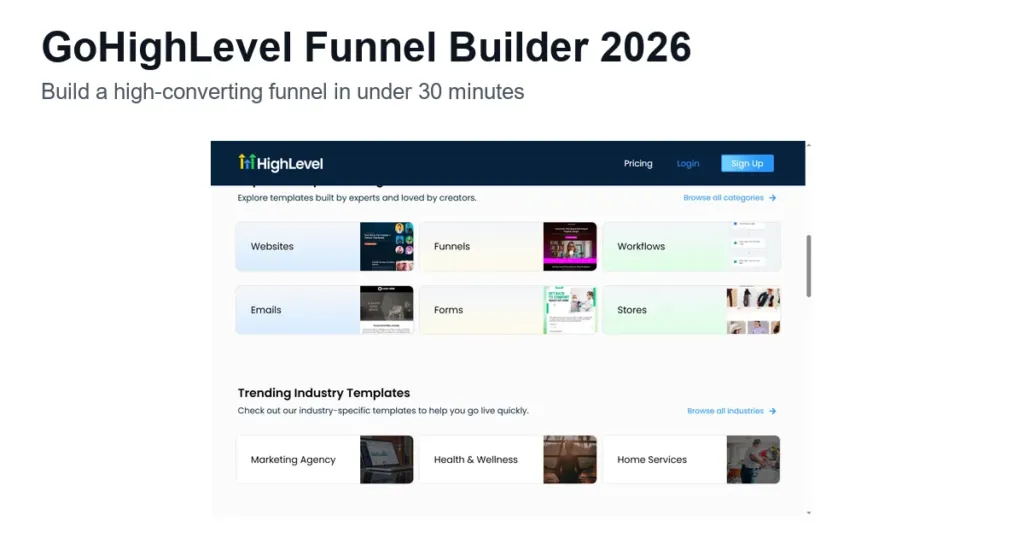
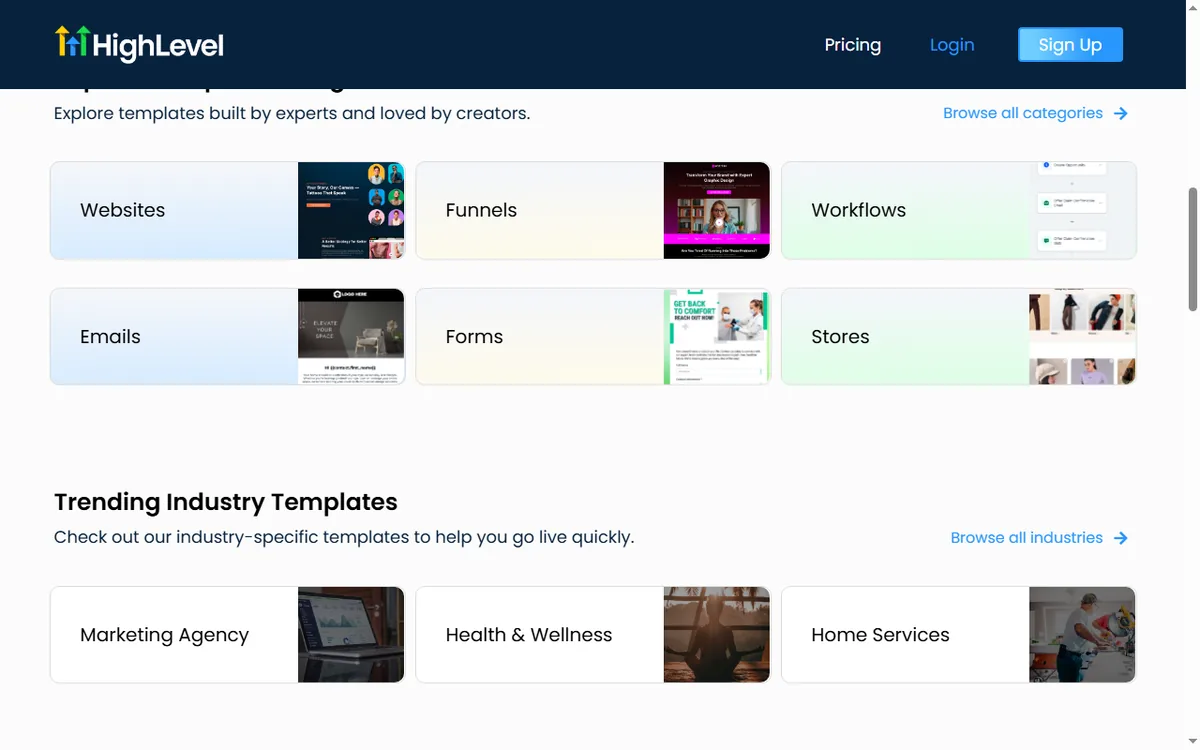
HighLevel ships a template library with hundreds of pre-built funnel pages for lead generation, sales, event registration, and more. Most include a styled hero, a form, and a thank-you page.
- Templates: fastest route – swap copy, colors, and form fields and you are live.
- Blank canvas: full control – best when you must match an exact brand kit.
Step 3: Add and Edit Pages
Every funnel needs at least a landing page and a thank-you page. Use Add Page for extra steps: sales page, upsell, order form, or confirmation. The drag-and-drop editor handles text, images, buttons, spacing, and trust badges – no code.
Keep each page focused on one action. A page that asks for too many decisions or fields lowers conversion dramatically.
Step 4: Connect Your Domain
Before sharing your funnel, connect a domain from the Domain tab in funnel settings. Point the DNS A record to HighLevel’s IP (or a CNAME for subdomains) and wait for the SSL certificate to provision – usually minutes to an hour.
Step 5: Add Forms and Tracking
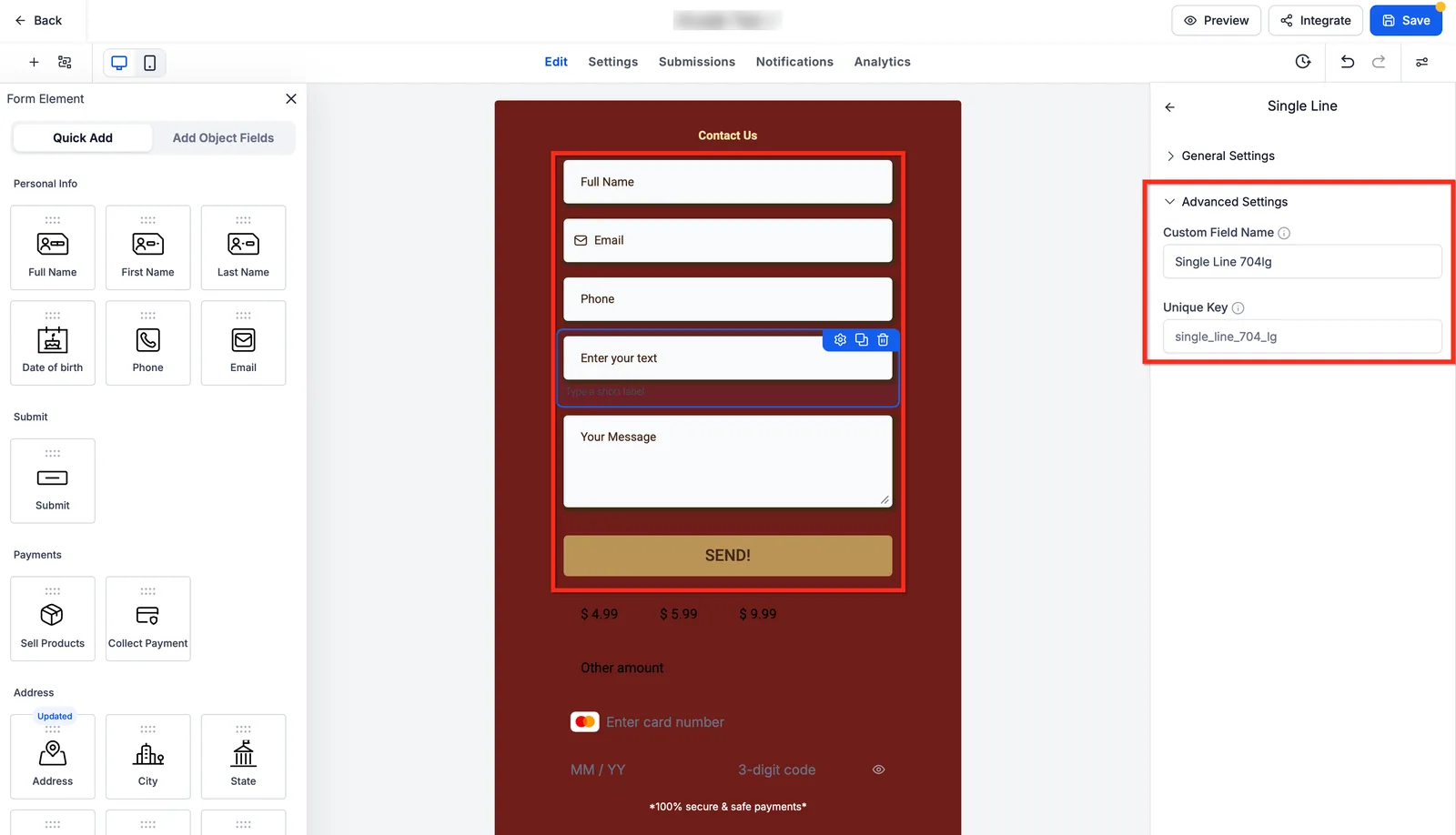
Drop a Form element on the page and map fields to the CRM contact object. Turn on spam protection and GDPR toggles where relevant. Add conversion tracking – Facebook Pixel, Google Analytics, Google Ads, TikTok Pixel – from the Tracking tab, without touching raw HTML on every page.
Step 6: Connect Automations
The real power is wiring your funnel to workflows. Create a workflow triggered on form submission: add a tag like “New Funnel Lead”, send a confirmation email, send an SMS a day later, and route the lead to the right pipeline stage or booking calendar.
The form-to-booking automation behind the funnel
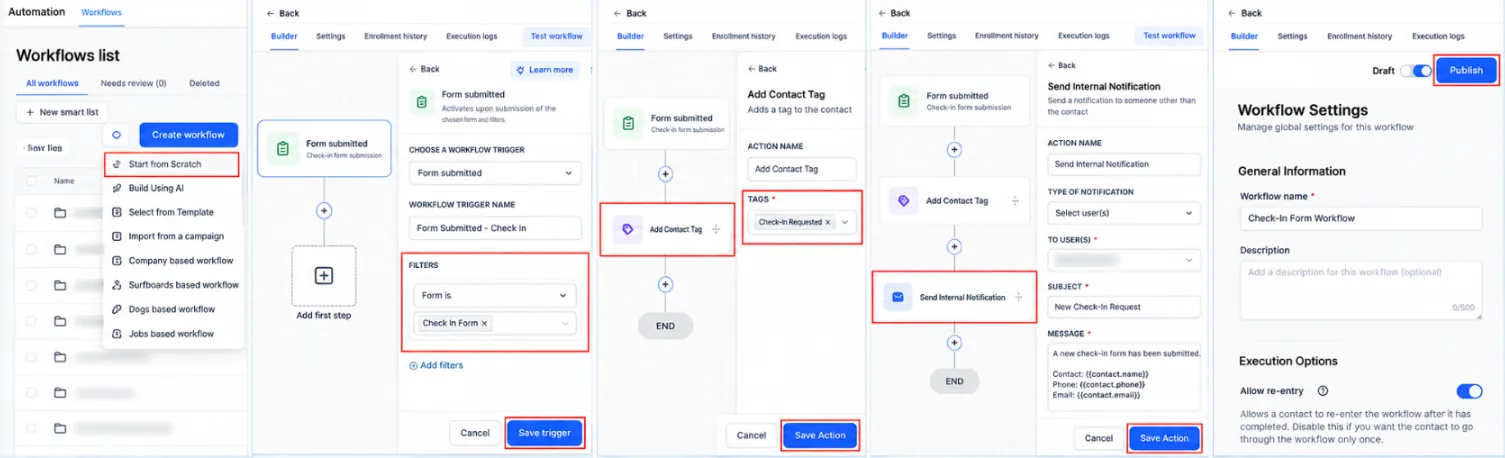
This is the workflow you attach to the form on your landing page. It runs on every submission, tags the lead, pushes a booking link fast, and keeps the appointment from slipping. If you want the wider automation picture, see this GoHighLevel automation setup guide.
- Trigger: Form Submitted, set to the exact form named ‘Free Rate Review’ on your landing page. This fires the moment the visitor clicks the submit button.
- Action: Add Contact Tag with the tag ‘Funnel Lead – Rate Review’. Every contact from this page now carries the same label.
- Action: Send SMS with the message ‘Hi {{contact.first_name}}, got your rate review request. Grab a 15-minute slot here: {{custom_values.booking_link}}’. Send it immediately, not on a delay.
- Action: Send Email with the subject ‘Your rate review is queued’ and a body that repeats the booking link and names the one question you still need answered.
- Wait: fixed delay of 20 minutes. This gives the lead time to open the SMS and click before the next nudge.
- If/Else: check whether the contact has the tag ‘Booked Appointment’. If yes, go to the end of the workflow. If no, continue to the next step.
- Action: Send SMS with ‘Still want that rate review, {{contact.first_name}}? Pick a time that works: {{custom_values.booking_link}}’.
- Wait: until the appointment time, using the appointment date on the contact record.
- Action: Send SMS with ‘See you soon, {{contact.first_name}}. Reply here if you need to move your slot.’ Then add a task for the assigned user to call any lead who has not confirmed.
Measure three numbers weekly: submissions per 100 visitors, the share of leads who book within 24 hours, and the share who show up. If submissions are healthy but bookings lag, shorten the SMS and move the link higher. If bookings are healthy but shows drop, tighten the reminder timing.
Two funnels, two sets of numbers
Imagine a solo mortgage broker in Boise, Idaho, running a free rate-review offer. She has no team, one offer, and a $97 monthly budget. Her current page asks for name, email, phone, address, loan amount, and credit range, and it converts about 4 of every 200 visitors. She rebuilds it in GoHighLevel from a lead-gen template, cuts the form to name, email, and one question about loan type, and wires a form-submitted workflow that texts a booking link within two minutes. At 200 visitors and a 9 percent conversion rate, she gets 18 leads instead of 8. If 40 percent of those book, that is 7 calls from the same traffic. The scenario is illustrative, not a record of a real account.
Imagine a 12-person dental practice in Tempe, Arizona, promoting a new-patient cleaning special. The front desk handles calls, but nobody owns the landing page, so the offer lives on a slow page with a phone number and no form. They build a two-page funnel: an offer page with a short form and a thank-you page that offers a calendar slot. A workflow tags each submission, sends a confirmation email, and texts a reminder 24 hours before the appointment. If the page draws 300 visitors a month and 10 percent submit, that is 30 requests. When 60 percent of those confirm a slot, the schedule gains 18 new patients monthly from traffic they already had. The arithmetic is a planning example, not a promise.
Step 7: Test Your Funnel
Click Preview and walk the full journey in this order:
- Load the landing page and check hero, copy, and button render correctly on mobile and desktop.
- Submit the form with a throwaway email and confirm the thank-you page appears.
- Open the contact in the CRM and verify the lead arrived with the right tag.
- Check the workflow log to confirm the trigger fired and messages queued.
- Re-test after every edit – a one-line change can break a form mapping.
GoHighLevel Pricing for Funnels (2026)
Funnel building is included in every paid plan – you never pay extra per page or per funnel. The 2026 published plans are:
| Plan | Monthly Price | Funnel Limits |
|---|---|---|
| Starter | $97/month | Funnels included, basic pages and workflows |
| Unlimited | $297/month | Unlimited funnels, workflows, and contacts |
| Agency Pro | $497/month | Unlimited funnels + white label + SaaS mode |
Every plan includes a free 14-day trial – enough time to build, test, and launch your first funnel end to end.
Common Funnel Mistakes and Fixes
- Form not saving leads: check field mapping and the workflow trigger; test with a real submission.
- Domain not loading: DNS can take time; verify the A/CNAME record and certificate status.
- No tracking events: confirm the pixel or tag is on every page, not just the first.
- Low conversion: reduce form fields; make the CTA action-specific (“Get My Free Audit” beats “Submit”).
FAQ
Day 1: open Sites, pick a lead-gen template, and cut the form to three fields. Day 3: connect your domain, add the tracking pixel, and submit a test lead to confirm the contact lands in the CRM with the right tag. Day 7: publish the form-submitted workflow, send yourself the SMS and email, and check the workflow log for a clean run. Then watch submissions per 100 visitors for a week before you touch the copy again. If you hit a snag, this GoHighLevel email fix guide covers the common delivery problems.
How long does it take to build a funnel in GoHighLevel? With a template, a simple lead funnel takes under 30 minutes including domain and testing.
Do I need a separate page builder? No – the built-in editor covers landing pages and integrates natively with the CRM and workflows.
Can I add multiple funnels? Yes – on the Unlimited and Agency Pro plans you can create unlimited funnels.
Disclaimer: We are an independent review site. Some links in this article are affiliate links, and we may earn a commission at no extra cost to you if you purchase through them. We only recommend tools we test in real client operations.
Need to see how the funnel builder looks inside the real platform first? Server time is precious – the fastest way is to open a trial and click through Sites → Funnels yourself.
About the Author

Antonio Vance is B2B SaaS Operations Director & Lead Reviewer (SaaSFlowLab Editorial Team). He has spent 8+ years deploying and auditing enterprise CRM, marketing automation, and email deliverability infrastructures for digital agencies. At SaaSFlowLab, he directs hands-on testing of software stacks in live production environments to deliver uncompromised, field-verified software reviews.