
Executive Summary
You signed up at $97, built your first booking workflow, and then the invoice lands at $480 because SMS, AI credits, and email overages stacked on top. That moment — not a crash, not a missing feature — is when most people start searching for why people quit GoHighLevel. The churn reasons repeat across agency communities: surprise usage bills, a learning curve that punishes you for trying everything at once, a maze of menus, silent automation failures, deliverability work you did not plan for, uneven support, and updates that move the ground under your workflows. Each one is a process problem you can catch early.
If you are evaluating GoHighLevel today, the short version is: the platform is genuinely powerful for agencies and service businesses, but the sticker price is not the real price, and the learning phase is where most churn happens. Skip past the affiliate hype – see the GoHighLevel pricing review 2026 for the real cost breakdown before you commit.
Table of Contents
- The Short Answer: Why Do People Quit?
- Reason 1: Hidden Usage Costs (The Real Bill)
- Reason 2: The Learning Curve Is Brutal
- Reason 3: The Interface Feels Like a Maze
- Reason 4: Automation Glitches Cost Clients
- Build a Churn-Prevention Audit Workflow in GoHighLevel
- Two Agencies, Two Churn Moments
- Reason 5: Email Deliverability Is a Full-Time Job
- Reason 6: Support Is Inconsistent
- Reason 7: Updates Break Workflows
- Who Should Stay vs Who Should Switch
- How to Avoid the Traps (Pro Checklist)
- FAQ
- Stay or Switch: Your GoHighLevel Churn Checklist
The Short Answer: Why Do People Quit GoHighLevel?
Across Reddit threads, agency communities, and review sites, the churn reasons repeat. The platform does not quit on users by crashing; users quit during the first two months when the real cost reveals itself and the learning curve is still punishing. The top pattern in 2026: someone signs up at $97/mo, adds SMS, AI credits, extra seats, and email overages, then gets hit with a $300-$600 bill while still struggling to build their first reliable workflow.
Most of these exits are process failures, not product failures. You can avoid almost all of them with the right setup order, a realistic budget, and one workflow at a time. That is the core of this guide.
Reason 1: Hidden Usage Costs (The Real Bill)
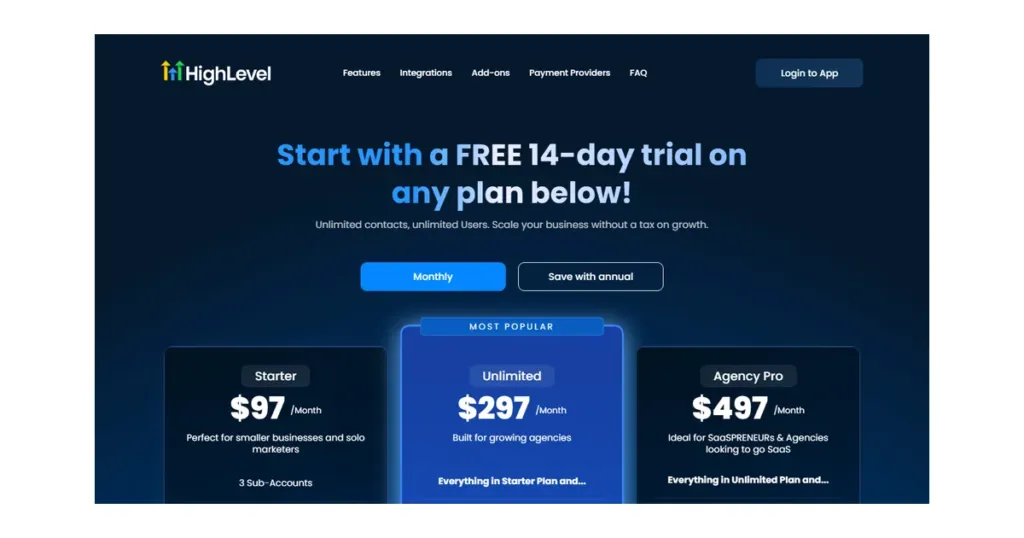
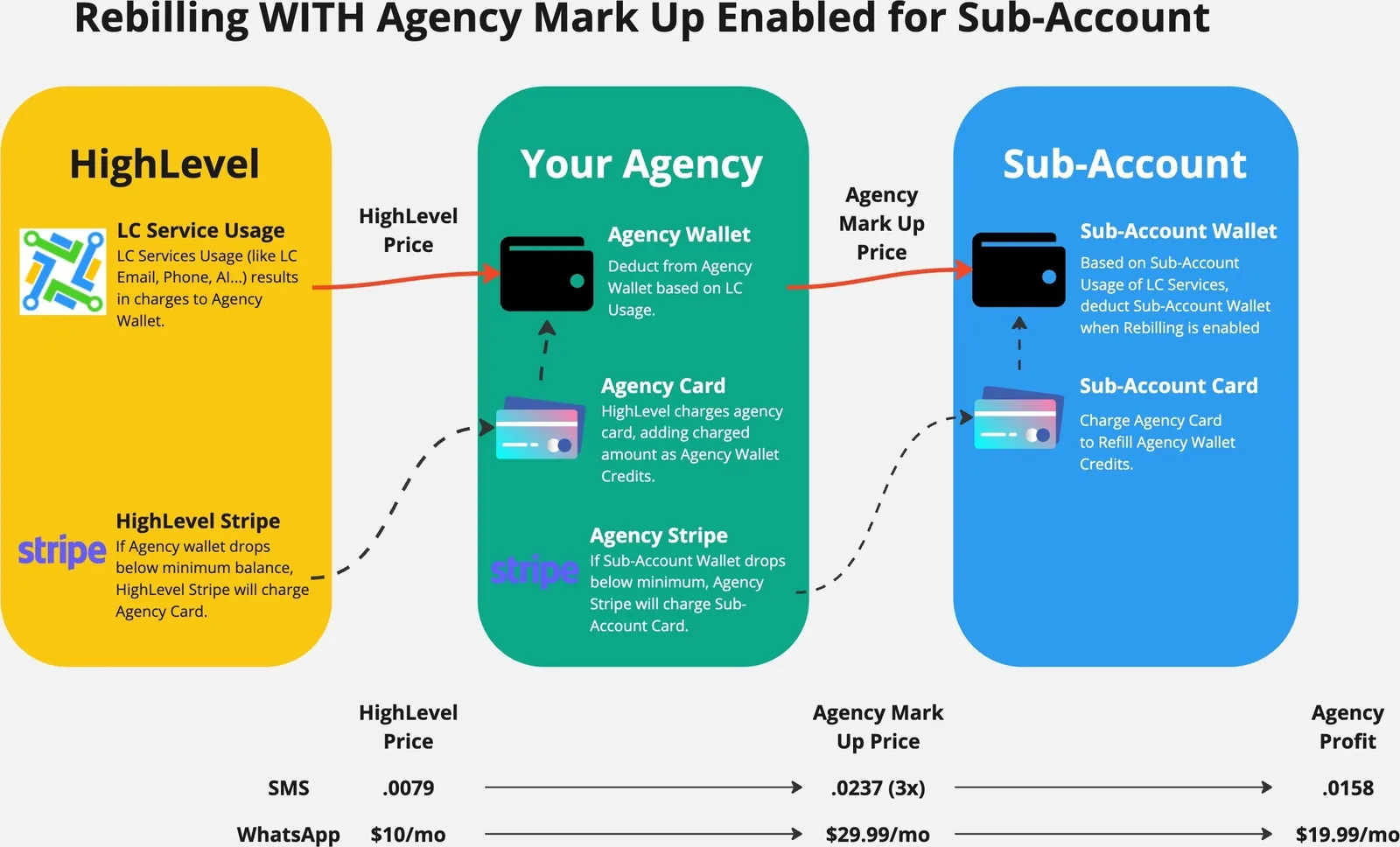
The #1 complaint in 2026 is billing surprises. GoHighLevel advertises $97/$297/$497, but the actual monthly bill depends heavily on usage add-ons:
| Cost Item | What It Really Is | Typical Extra / Mo |
|---|---|---|
| Base plan | Starter / Unlimited / Pro SaaS | $97 / $297 / $497 |
| SMS credits | Per-message cost (US ~$0.02-0.03, intl higher) | $20-$200+ |
| AI credits | AI assistant, AI workflows consume credits | $10-$100+ |
| Email overages | Beyond included sending volume | $20-$80+ |
| Extra sub-accounts/seats | Per sub-account or user on some plans | $10-$50+ |
| Phone/IVR minutes | Calling and IVR usage | $10-$100+ |
A typical agency using SMS + AI + multiple sub-accounts reports $400-$600+/mo total, not $97. The pricing page shows the platform price; the pricing review 2026 shows the real deployment cost. Budget for usage add-ons before you sign, and set hard caps in billing settings.
Reason 2: The Learning Curve Is Brutal
The second loudest complaint is complexity. GoHighLevel bundles CRM + funnels + email + SMS + automation + websites + client portals, and new users try to learn all of it at once. The workflow builder, sub-account hierarchy, and email deliverability setup are the three hardest concepts.
The fix is not a lighter tool – it is a tighter scope. Learn one outcome at a time: booking first, then a simple email automation, then a funnel. Most users who survive the first 30 days stop feeling overwhelmed. Compare the difficulty honestly in our GoHighLevel vs HubSpot comparison.
Reason 3: The Interface Feels Like a Maze
Users who are used to single-purpose tools complain that GoHighLevel navigation is dense. There are dozens of menus, two account layers (agency vs sub-account), and settings spread across different sections. It is not that the layout is broken – it is that an all-in-one tool has many places to hide features.
The practical fix: pin your most-used menus, use the left sidebar search, and keep one sub-account as your sandbox. After two weeks of daily use, the maze becomes muscle memory.
Reason 4: Automation Glitches Cost Clients
The most dangerous complaint: workflows sometimes silently fail. Triggers not firing, emails not sending, or delays breaking a follow-up sequence. For an agency managing client pipelines, one broken automation can mean a missed lead and a churned client.
In practice, most glitches trace back to configuration: wrong trigger type, timezone issues, or a step that requires a field the contact does not have. Build test contacts, run every workflow in test mode, and audit your active automations weekly. See our GoHighLevel alternatives if you want to compare reliability before buying.
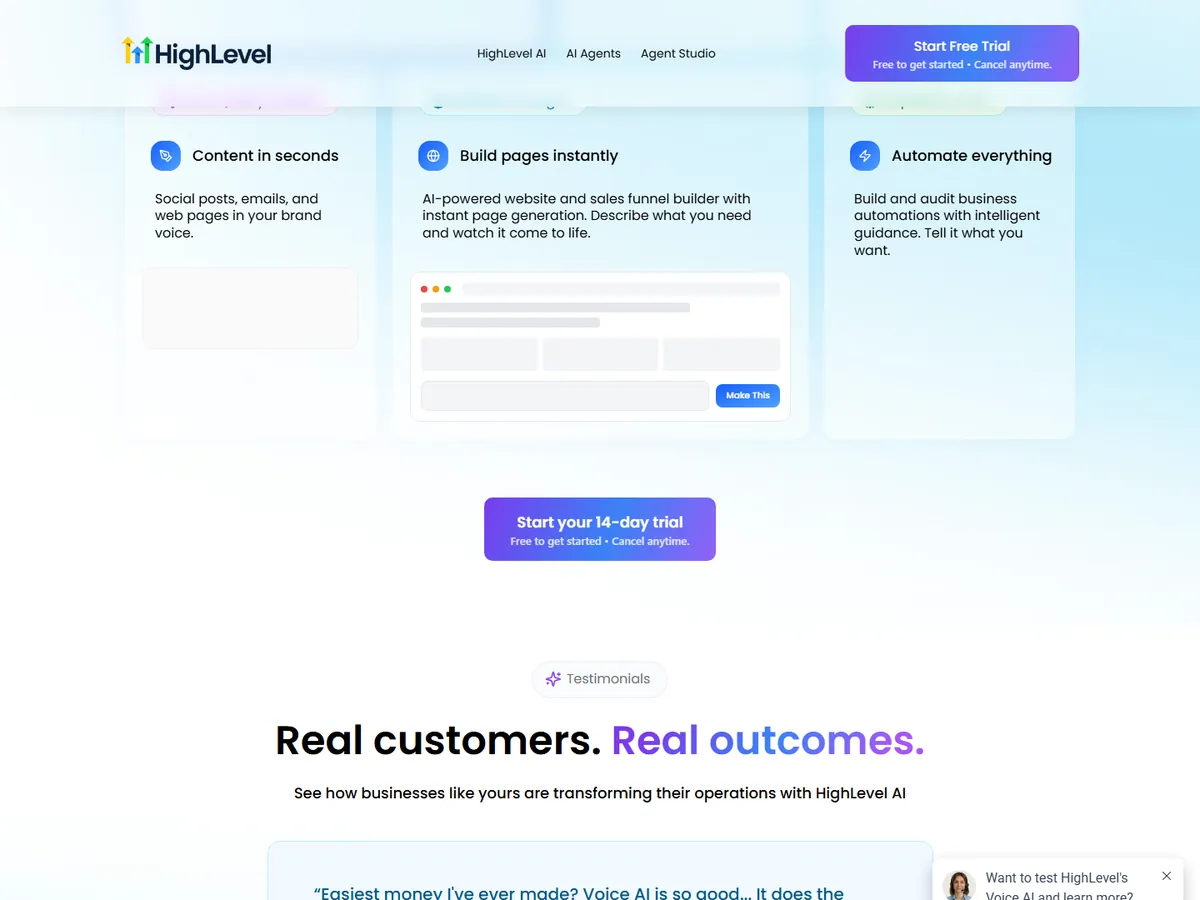
A small team can run dozens of automations, which is why auditing matters. Set up a simple test contact per workflow; it catches 90% of silent failures before they hit real clients.
Build a Churn-Prevention Audit Workflow in GoHighLevel
This flow watches your own account health, not your clients’ leads. It tags new sub-accounts, checks whether email authentication is done, and nudges you before a silent failure becomes a churned client.
- Trigger: Form Submitted on a form named ‘New Sub-Account Intake’ with fields for client name, sending domain, and primary contact email.
- Action: Add Contact Tag ‘onboarding-audit’ and Create/Update Opportunity in pipeline ‘Account Health’ at stage ‘Setup Started’.
- Action: Send SMS to the assigned user: ‘New account {{contact.company_name}} is in setup. Confirm SPF/DKIM before any campaign sends.’
- Wait: fixed delay of 2 days.
- If/Else: check whether contact field ‘sending_domain_verified’ equals ‘yes’. If yes, Add Contact Tag ‘deliverability-ready’ and Go To step 8. If no, Send Email with subject ‘Your domain is not verified yet’ and body ‘Hi {{contact.first_name}}, {{contact.company_name}} still needs SPF, DKIM, and DMARC records before we send. Reply here when done.’
- Wait: until the contact replies, capped at 3 days.
- If/Else: if the contact replied, Assign to User the account manager and Add Task ‘Review domain records for {{contact.company_name}}’. If no reply, Internal Notification to the owner and Send SMS ‘No reply on domain setup for {{contact.company_name}}. Call today.’
- Action: Update Contact Field ‘audit_status’ to ‘complete’ and Remove from Workflow.
Measure two numbers weekly: the share of new sub-accounts that reach ‘deliverability-ready’ within 48 hours, and the count of audit tasks still open past three days. If either climbs, your setup order is slipping and churn risk is rising. For a deeper look at building reliable flows, see our automation setup guide.
Two Agencies, Two Churn Moments
Both agencies below are hypothetical; the figures show how churn builds, not a record of real accounts.
Imagine a five-person marketing shop in Denver, Colorado, managing white-label funnels for twelve local clients. The owner signed up on the $297 plan expecting a flat bill, then watched SMS reminders, AI workflow credits, and three extra sub-accounts push the monthly total past $540 while two client workflows still failed silently. The team had no test contacts and no billing caps. The fix was not a new platform: they set hard spending limits, kept one sandbox sub-account, and rebuilt only the booking and follow-up flows first. Within a month the bill settled near $380 and the missed-lead complaints stopped. This scenario is for illustration only.
Imagine a solo consultant in Portland, Oregon, who only needs a simple email sequence and a calendar link. She picked the $97 plan, spent two weeks fighting SPF and DKIM records, and still landed in spam. Her real need was one narrow tool, and the all-in-one stack added cost and setup she never used. Moving to a single-purpose email tool cut her monthly spend and her setup time. The lesson: scope decides whether GoHighLevel is an engine or an anchor.
Reason 5: Email Deliverability Is a Full-Time Job
Users quit when campaigns land in spam. GoHighLevel gives you powerful email tools, but deliverability is your responsibility: SPF/DKIM/DMARC records, custom sending domains, warming up domains, and staying under sending limits. A cold domain will perform poorly no matter the platform.
If you are not ready to configure email authentication and warm up domains, you will blame the platform – but the missing piece is setup. Follow the official deliverability guide, or consider an ESP like marketing automation tools that handle more of this for you.
Reason 6: Support Is Inconsistent
A recurring theme in 2026 is that support quality depends on the day and the channel. Live chat can be fast for some users and slow for others; advanced technical questions often get routed to self-service answers. Agencies running white-label setups for clients feel this the most.
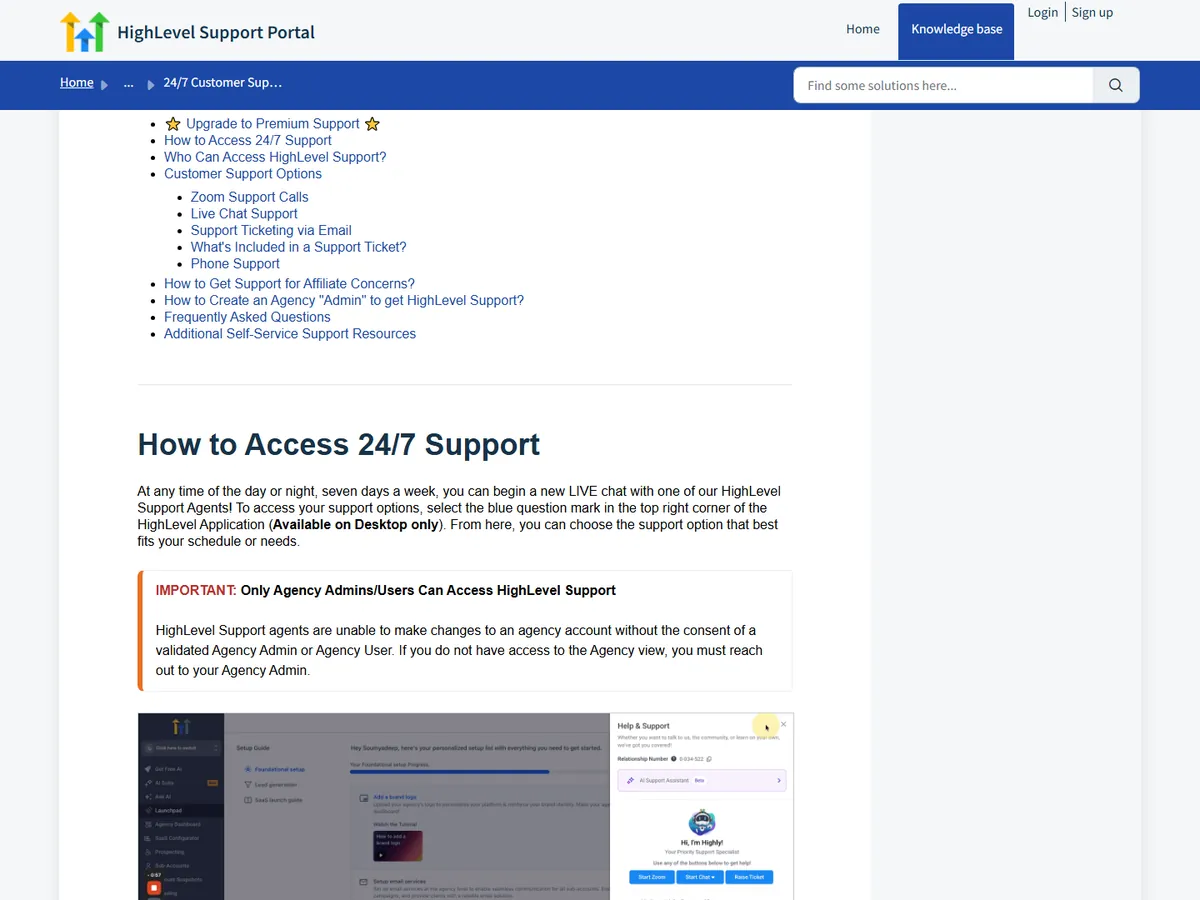
Practical advice: use the official Knowledge Base + HighLevel Academy first, join the community for real-world fixes, and open tickets with clear reproduction steps. For mission-critical issues, a paid agency plan often gets faster priority.
Reason 7: Updates Break Workflows
GoHighLevel ships frequent feature updates – great for innovation, bad for stability. Users report that a UI change or automation behavior tweak can break an existing workflow or move a menu. The platform improves fast, but it can feel like you are configuring a moving target.
The fix: keep release notes open, re-test your critical workflows after major updates, and do not build hyper-complex automations until the platform settles. Treat every update as a change request and verify your top 3 flows.
Who Should Stay vs Who Should Switch
| Scenario | Recommendation | Why |
|---|---|---|
| Agency with multiple clients | Stay | Sub-accounts, white label, and SaaS mode are unmatched |
| Service business needing one stack | Stay | Bookings, funnels, CRM, and follow-up in one place |
| Solo user who only needs email | Switch/limit scope | A cheaper email tool does it in minutes |
| User who cannot do email setup | Consider ESP-first tool | GoHighLevel expects deliverability work |
| Budget-limited teams | Switch to lighter plan | Usage add-ons can exceed the base price |
If your core need is CRM + funnels + client portals, GoHighLevel remains the strongest all-in-one in 2026 – the churn reasons above are mostly solvable with configuration. If your need is narrow, a single-purpose tool is cheaper and easier.
How to Avoid the Traps (Pro Checklist)
- Budget the real cost: base plan + SMS + AI + email overages + sub-accounts; set billing caps before launch.
- Learn one workflow at a time: booking, then email sequence, then funnel – do not configure everything at once.
- Use test contacts: run every automation in test mode and keep one sandbox sub-account.
- Authenticate email from day 1: SPF/DKIM/DMARC, custom domain, warm-up schedule.
- Pin menus and use search: the interface maze disappears after a week of daily use.
- Re-test after every update: verify your top 3 workflows when the platform ships changes.
- Use HighLevel Academy + snapshots: templates and training cut the learning curve in half.
- Open support tickets with steps: clear reproduction data gets faster answers.
GoHighLevel Churn FAQ
Why do people quit GoHighLevel? The top reasons are hidden usage costs (SMS, AI, email overages), a steep learning curve, automation glitches, email deliverability setup, inconsistent support, and updates that break workflows. Most churn happens in the first two months.
Is GoHighLevel worth it in 2026? For agencies and service businesses that use multiple features (CRM, funnels, email, client portals), yes – it replaces an entire stack. For a narrow single need, a cheaper dedicated tool is easier.
How much does GoHighLevel really cost? Base is $97/$297/$497 per month, but with SMS, AI, and email overages many agencies pay $400-$600+ per month. Set hard caps and budget usage before signing up.
Is GoHighLevel a scam? No. It is a legitimate, widely used platform. Most negative reviews trace back to unmet expectations about the real cost and the effort required to configure it.
Does GoHighLevel have good email deliverability? The tools are capable, but you are responsible for SPF/DKIM/DMARC, domain warm-up, and sending limits. Poor setup results in spam folders.
What do agencies switch to after GoHighLevel? Many move to Keap, ActiveCampaign, HubSpot, or GoHighLevel alternatives based on their missing feature. See our alternatives guide for the full comparison.
Stay or Switch: Your GoHighLevel Churn Checklist
Three questions settle it. Do you need three or more of these tools — CRM, funnels, SMS, client portals — under one login? Can you absorb a real monthly bill well above the base plan once usage adds up? Will you commit two to four weeks to setup before judging the platform? Three yes answers mean stay and fix your process. Two or more no answers mean a narrower tool will cost you less. If you are still weighing options, our GoHighLevel alternatives comparison and pricing breakdown can help you decide.
The smart move is to test the platform with a tight budget and one mini workflow using the free 14-day trial, set spending caps, and follow the checklist above. If you still feel trapped after a month, that is when switching makes sense.
Disclaimer: We are an independent review site. Some links in this article are affiliate links, and we may earn a commission at no extra cost to you if you purchase through them. We only recommend tools we test in real client operations.
About the Author

Antonio Vance is B2B SaaS Operations Director & Lead Reviewer (SaaSFlowLab Editorial Team). He has spent 8+ years deploying and auditing enterprise CRM, marketing automation, and email deliverability infrastructures for digital agencies. At SaaSFlowLab, he directs hands-on testing of software stacks in live production environments to deliver uncompromised, field-verified software reviews.