
Executive Summary
$97 a month. That is the GoHighLevel Starter price, and it covers unlimited contacts, unlimited seats, and a calendar that writes every booking straight into a CRM. Calendly charges $10 per seat per month on Standard and $16 per seat on Teams, so a five-person sales team pays $80 before any CRM, email, or SMS is included. The GoHighLevel vs Calendly decision comes down to whether you are buying a scheduling link or the system that tracks what happens after the meeting.
- Best For: sales teams and individual professionals that need a polished meeting link for one-on-one and round-robin scheduling (Calendly); agencies and growing businesses that want booking, CRM, funnel, email, SMS, and automation inside one system (GoHighLevel).
- Pricing: Calendly Free, Standard at $10/seat/month, Teams at $16/seat/month, Enterprise from $15k/year (verified October 2026); GoHighLevel $97/$297/$497 per month with unlimited contacts and seats.
- Strength (GHL): booking is native to the CRM, so every appointment is a contact with pipeline, email, SMS, and automation around it.
- Strength (Calendly): a clean, dedicated scheduling experience with round-robin, routing, workflow automations, and enterprise controls.
Below we compare both platforms across pricing, booking features, CRM and pipeline integration, automation, workflow and routing, integrations, agency use cases, and learning curve, then give a clear verdict for different buyer profiles. For a deeper side-by-side breakdown, see this GoHighLevel vs Notion comparison.
Table of Contents
- The $97 Question: Booking Link or Full Client Stack?
- Two Buying Philosophies: Point Solution vs Operating System
- A Scheduler and an Agency OS Side by Side
- GoHighLevel vs Calendly Pricing Compared
- Booking and Scheduling Features
- CRM and Pipeline Integration
- Automation Capabilities
- Build the Booking Follow-Up Flow in GoHighLevel
- Two Illustrative Scenarios: A Five-Person Sales Team and a Ten-Client Agency
- Workflows and Routing
- Integration Ecosystem
- Agency and Multi-Client Use
- Setup Time: Minutes on Calendly, Days on GoHighLevel
- Match the Tool to Where Your CRM Already Lives
- Where Each Platform Earns Its Keep
- FAQ
- The Buyer Who Should Pick Calendly, and the One Who Should Not
The $97 Question: Booking Link or Full Client Stack?
If your business lives on inbound meetings and you need a fast, reliable scheduling link for one-on-one or round-robin calls, Calendly is a strong, focused choice. If you run an agency or a growing service business and want every booking to become a tracked lead inside a CRM with email, SMS, and automation around it, GoHighLevel is the better value because the calendar is native to the rest of the stack and there are no per-seat fees. In 2026, the deciding factor is whether you need a dedicated scheduling point solution or a complete client-operations platform that includes booking.


Two Buying Philosophies: Point Solution vs Operating System
A buyer picks Calendly because the calendar is the product. The team already runs HubSpot, Salesforce, or Pipedrive, and the only missing piece is a clean link that lets prospects pick a slot. Round-robin routing, routing forms, and enterprise controls matter more than a built-in CRM. The budget logic is per seat: pay for the people who host meetings, keep the rest of the stack where it is, and avoid migrating data.
A buyer picks GoHighLevel because the booking is the start of a longer relationship. Agencies and service businesses need many client accounts, each with its own calendar, pipeline, and follow-up. The flat monthly price with unlimited seats and contacts means adding a receptionist or a new client workspace does not trigger a new line item. The sales motion is speed: one login, one automation builder, one place to see every appointment and every text that followed it.
Each philosophy breaks down at a different edge. Calendly’s per-seat model gets expensive once a team grows, and the lack of a native CRM means every booking needs a connector or a manual export to become a tracked lead. GoHighLevel’s breadth becomes a burden for a solo consultant who only wants a meeting link and has no interest in funnels, pipelines, or workflows. The tool is not wrong; the buyer is.
Ownership is the quiet dividing line. With Calendly, the calendar belongs to the person who hosts the meeting. With GoHighLevel, the calendar belongs to the workspace, which is why agencies can hand a branded booking page to a client and still control the automation behind it. If you want to see how that ownership logic plays out against another all-in-one, the HubSpot comparison covers a similar split.
A Scheduler and an Agency OS Side by Side
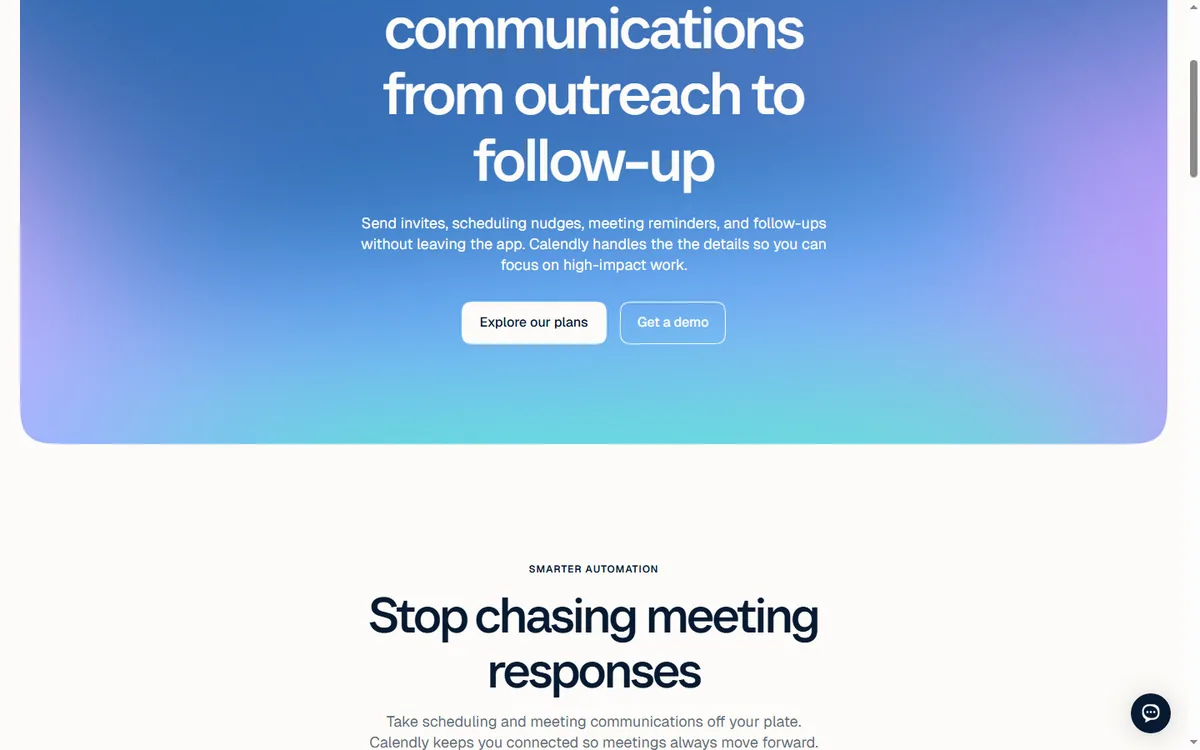
Calendly is a meeting-scheduling platform. You define event types, share a personalized link, and invitees book time directly into your calendar. It handles availability, time zones, reminders, round-robin team routing, routing forms, and workflow automations, plus integrations with Zoom, Google Meet, Microsoft Teams, HubSpot, Salesforce, and payment tools. The free plan covers one-on-one scheduling with one event type; paid plans add team scheduling, routing, and advanced controls.
GoHighLevel is an all-in-one platform for agencies and SMBs. It includes a full CRM with pipelines and custom fields, funnels and websites, email marketing, SMS, call tracking, phone, voice AI, surveys, reputation management, and automation workflows. The calendar module handles appointment types, availability, buffer times, payments, reminders, and booking links, and every booking creates or updates a contact in the CRM with the full activity history. It is designed to run client operations end to end.

GoHighLevel vs Calendly Pricing Compared
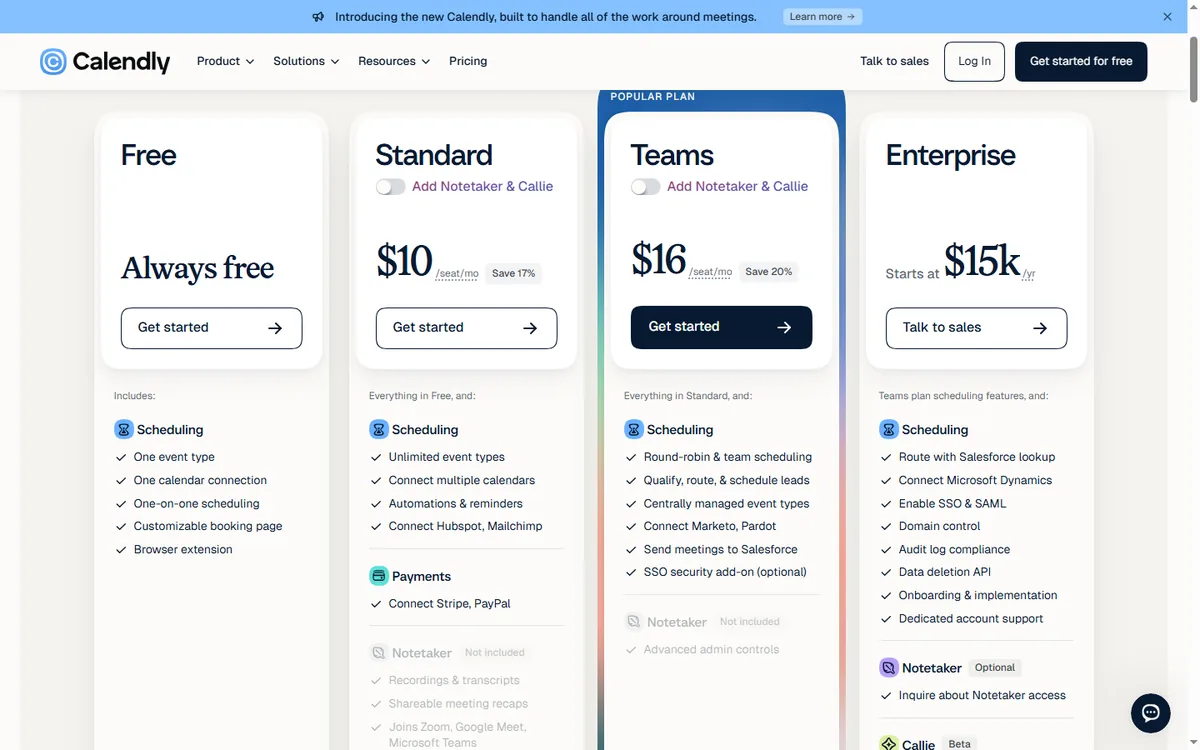
Calendly pricing is per seat per month. The Free plan is always free with one event type and one calendar connection. Standard is $10/seat/month (billed yearly, save 17%), adding unlimited event types, multiple calendar connections, automations, reminders, and payments. Teams is $16/seat/month (billed yearly, save 20%), adding round-robin, routing, central event management, Marketo and Pardot connections, Salesforce integration, and SSO add-on. Enterprise starts at $15,000/year with at least 50 seats. Crucially, every user who hosts meetings needs a paid seat.
GoHighLevel pricing is flat and simple: Starter at $97/month, Unlimited at $297/month, and Agency Pro at $497/month, with unlimited contacts and seats. Calendars are included in every plan, and there is no separate per-seat fee for scheduling. For an agency that books calls for a team of five, GoHighLevel often replaces both the scheduling tool and several other subscriptions in one flat monthly price.
| Plan | Monthly Price | Key Limits | Best For |
|---|---|---|---|
| Calendly Free | $0 | 1 event type, 1 calendar, one-on-one scheduling | Individuals trying scheduling |
| Calendly Standard | $10/seat/mo | Unlimited event types, multiple calendars, automations, payments | Solos and small teams |
| Calendly Teams | $16/seat/mo | Round-robin, routing, central event management, Salesforce | Sales and growth teams |
| Calendly Enterprise | From $15k/yr | 50+ seats, advanced admin, SSO, custom workflows | Large orgs |
| GoHighLevel Starter | $97/month | 3 sub-accounts, core CRM, calendar, funnels, email, SMS, unlimited contacts | SMBs |
| GoHighLevel Unlimited | $297/month | Unlimited sub-accounts, full funnels + websites + phone | Agencies |
| GoHighLevel Agency Pro | $497/month | SaaS mode, whitelabel, advanced features | Reselling agencies |
The real cost difference is seat math. A five-person sales team on Calendly Teams pays $80/month before enterprise features. On GoHighLevel Starter at $97/month you get unlimited seats, plus CRM, funnels, email, SMS, and automation in the same price. For an agency, the GoHighLevel calendar is effectively a byproduct of the platform you already need for marketing and delivery. For a small team that only needs polished meeting links and already runs its CRM elsewhere, Calendly is the lighter, cheaper point solution.
Booking and Scheduling Features
Calendly is purpose-built for scheduling. You create event types (one-on-one, group, round-robin, collective), set availability and buffer time, add intake questions, and share a link or embed a booking page. The scheduling experience is polished, fast, and trusted by invitees. You get confirmation and reminder emails, and paid plans add SMS reminders, waitlists, and payment collection. Round-robin routing and routing forms are strong enterprise features.
GoHighLevel calendar covers the core booking mechanics well: appointment types, duration and buffer, availability windows, booking links, and embed widgets. You can collect deposits or full payments at booking with Stripe, and you can add custom intake forms. The scheduling page is functional and branded. It is not as design-polished as Calendly, but it is built into the CRM and automation stack, so a booked appointment automatically becomes a pipeline activity with follow-up workflows attached.
CRM and Pipeline Integration
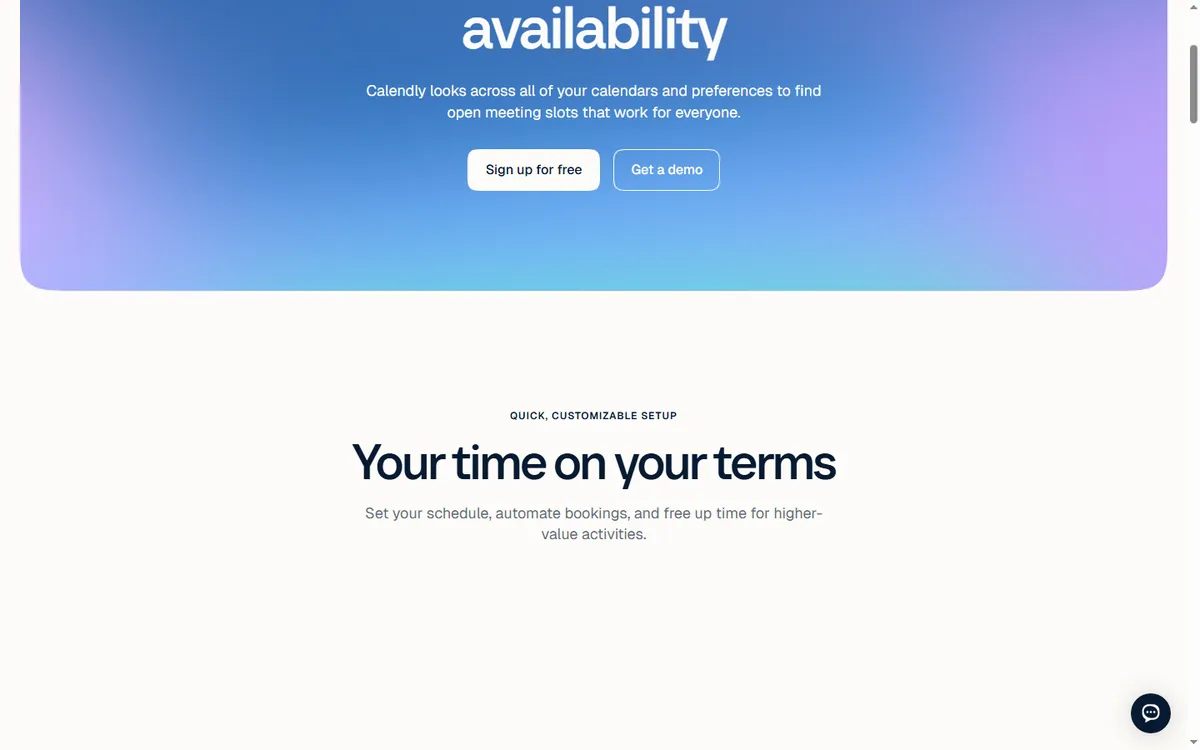
Calendly is not a CRM. It connects to HubSpot, Salesforce, Pipedrive, and similar tools so bookings can be pushed into your CRM, but the CRM itself is separate. For teams that already run a dedicated CRM, that is a clean separation. For everyone else, it adds integration cost and data-sync friction.
GoHighLevel is CRM-first. A calendar booking creates or updates a contact, logs the appointment in the activity timeline, and can trigger workflows immediately: a confirmation email, an SMS reminder, a pipeline stage change, a task for the sales rep, even an AI voice follow-up. You do not need a separate CRM because the booking, the contact record, and the follow-up live in the same system. For service businesses and agencies that want every lead tracked, this is a major operational advantage.
Automation Capabilities
Calendly offers workflow automations on Standard and above: send confirmation, reminder, and follow-up emails or SMS, create or update contacts in connected tools, add to marketing lists, and trigger webhooks. These are booking-centric: they react to the meeting lifecycle. For complex multi-channel nurture, you would connect a marketing automation platform.
GoHighLevel workflows are contact-centric and multi-channel. They trigger on contact behavior across email, SMS, calls, forms, page visits, and payments, then run email, SMS, internal actions, and even AI voice. One workflow can send a booking confirmation, log a call, and update a pipeline stage at the same time. The automation is native to the CRM and messaging stack, which is more aligned with the full client lifecycle.
Build the Booking Follow-Up Flow in GoHighLevel
This is the automation a service business builds so every booked appointment is confirmed, reminded, and followed up without a manual step. It uses the native calendar and the workflow builder.
- Trigger: Customer Booked Appointment on the Sales Consultation calendar. Action: Add Contact Tag ‘booked-consult’ so the contact is easy to segment later.
- Action: Send SMS ‘Hi {{contact.first_name}}, you are booked for {{appointment.start_time}} with our team. Reply C to confirm or R to reschedule.’
- Wait: until the contact replies, with a fallback of 24 hours.
- If/Else: contact replied C. On the yes branch, Action: Update Contact Field ‘confirmation_status’ to ‘confirmed’ and Add Contact Tag ‘confirmed’. On the no branch, Action: Send SMS ‘No problem. Tap here to pick a new time: {{calendar.link}}’ and Assign to User the rep who owns the calendar.
- If/Else: contact replied R. Action: Send SMS ‘Here is the link to choose another slot: {{calendar.link}}’ and Create/Update Opportunity to stage ‘Reschedule Requested’.
- Wait: until 24 hours before the appointment.
- Action: Send SMS ‘Reminder: your consultation is tomorrow at {{appointment.start_time}}. Reply C to confirm.’ Then Wait: until 2 hours before the appointment.
- Action: Send SMS ‘See you in two hours. Our address is {{location.address}}.’ Add Task for the assigned rep: ‘Prep for consultation with {{contact.first_name}}’ due 1 hour before the appointment.
- Trigger: Appointment Status changed to Showed. Action: Send Review Request after a Wait of 2 hours, and Create/Update Opportunity to stage ‘Consultation Complete’.
- Trigger: Appointment Status changed to No Show. Action: Send SMS ‘Your slot went unfilled today. Pick a new time here whenever you are ready: {{calendar.link}}’ and Add Contact Tag ‘no-show’ so a rebooking workflow can pick it up.
Measure four numbers: confirmation reply rate, reschedule rate, no-show rate, and the share of no-shows that rebook within seven days. If confirmation replies climb but no-shows do not fall, the reminder timing is wrong, not the message. Calendly can send confirmation and reminder emails or SMS on paid plans, but the CRM update, the pipeline stage change, and the task for the rep require a separate CRM and connector.
Two Illustrative Scenarios: A Five-Person Sales Team and a Ten-Client Agency
These scenarios are hypothetical and meant only to show the arithmetic.
Imagine a five-person sales team at a home-services company in Austin, Texas. They run Calendly Teams at $16 per seat, which is $80 a month, and their CRM is a separate subscription. Every booked estimate lands on a rep’s calendar, but the contact record is created by hand or by a Zapier step that sometimes fails. They miss about 24 estimate appointments a month across the team, and each estimate is worth roughly $1,200 in expected job value.
If a reminder flow saves 6 of those 24 monthly no-shows at $1,200 an estimate, that is $7,200 a month in recovered pipeline. Moving to GoHighLevel Starter at $97 a month gives them unlimited seats, a native calendar, and SMS reminders inside the same workflow that updates the pipeline stage. The seat math alone saves $80 a month, and the recovered appointments dwarf that.
Imagine a ten-client marketing agency in Portland, Oregon, with three account managers. Each client has a separate Calendly account, so the agency juggles ten logins and ten billing relationships. A new client onboarding takes an account manager about two hours of setup across Calendly, the client’s CRM, and an email tool. On GoHighLevel Agency Pro at $497 a month, each client gets a sub-account with its own calendar, pipeline, and workflows. If onboarding drops from two hours to 45 minutes per client and the agency onboards four clients a month, that is five hours saved monthly, plus one invoice instead of ten. The agency also gains white-label booking pages it can present as its own.
Workflows and Routing
Calendly routing is a strong enterprise feature. Routing forms ask a few questions and automatically route the invitee to the right person or event type; round-robin distributes meetings evenly across a team; collective and group events handle multiple attendees. You can also set page-specific availability and buffer rules per team.
GoHighLevel routing is simpler and less granular, but it covers the essentials: you can assign booking links to specific owners, set per-calendar availability, and route leads from funnels and forms directly into the right pipeline and owner. The routing happens inside the CRM context, so the right person gets the booking plus the full lead history. For agencies, this is often more practical than Calendly’s meeting-centric routing because you are routing opportunities, not just meetings.
Integration Ecosystem
Calendly integrates with Zoom, Google Meet, Microsoft Teams, Salesforce, HubSpot, Pipedrive, Marketo, Pardot, Stripe, PayPal, Slack, and hundreds of apps through Zapier and native connectors. It also has a developer API and webhooks. The ecosystem is mature and meeting-focused.
GoHighLevel has a native marketplace, API, webhooks, and works with Zapier and Make itself. Its native integrations cover what agencies and SMBs typically need, and you can still connect it to the wider ecosystem. If you are already standardizing on GoHighLevel for CRM and marketing, the calendar integrates natively without a separate connector.
Agency and Multi-Client Use
Calendly serves agencies indirectly: each client can have their own Calendly account and seat, and agencies can embed links in client sites, but there is no native client-workspace isolation or white-label SaaS mode. Managing many clients means managing many seats and accounts.
GoHighLevel is built for agencies. Sub-accounts give each client an isolated workspace with its own CRM, funnels, sites, calendars, and automations. On Agency Pro you get SaaS mode and white-label capabilities to resell the platform. You can give a client a branded booking page, wire it to their pipeline, and manage dozens of client accounts inside one system.
Setup Time: Minutes on Calendly, Days on GoHighLevel
Calendly is famously easy to set up: create an event type, set availability, share the link. Most users are live in minutes. Support includes a community, and paid plans get faster support tiers; Enterprise gets a dedicated team.
GoHighLevel has more modules, so the initial learning curve is steeper. You learn the calendar alongside the CRM, funnels, websites, and workflows. However, HighLevel provides free training, an academy, and a large agency community, and most operators find the platform clickable within a few days.
Match the Tool to Where Your CRM Already Lives
- Choose Calendly if you already run your CRM and marketing stack elsewhere and simply need a polished, reliable meeting-scheduling link with round-robin and routing.
- Choose GoHighLevel if you run an agency, SMB, or service business and want booking, CRM, email, SMS, funnels, and automation in one system at a flat price.
- Choose by stack: Calendly is a scheduling point solution; GoHighLevel is the operations platform behind the booking.
- Choose by cost: for a small team that only needs meetings, Calendly is cheaper; for an agency managing clients, GoHighLevel replaces several subscriptions.
A practical way to decide: map your operation. If your calendar is the product and your CRM lives elsewhere, Calendly is a fast, affordable answer. If you want every booking to flow into a CRM with automated follow-up and you run marketing and delivery in the same place, GoHighLevel gives you more for the money.
Where Each Platform Earns Its Keep
- GoHighLevel: calendar is native to CRM, email, SMS, and automation.
- GoHighLevel: flat pricing with unlimited contacts and seats, no per-seat fee.
- GoHighLevel: agency sub-accounts, white label, and SaaS mode.
- GoHighLevel: every booking becomes a tracked lead with automated follow-up.
- Calendly: polished and proven meeting scheduling experience.
- Calendly: strong round-robin, routing, and enterprise controls.
Where Each Platform Falls Short
- GoHighLevel: broader platform means a steeper initial learning curve.
- GoHighLevel: scheduling UI is functional rather than design-forward.
- Calendly: no native CRM or marketing automation engine.
- Calendly: per-seat pricing adds up for teams.
- Calendly: agency use requires separate accounts per client.
FAQ
Is GoHighLevel better than Calendly? For agencies and businesses that need booking, CRM, email, SMS, and automation in one system, GoHighLevel is usually better. For teams that only need polished one-on-one and round-robin meeting links with an existing CRM, Calendly is the stronger, more focused tool.
Can GoHighLevel replace Calendly? For most use cases, yes. GoHighLevel’s calendar covers appointment types, availability, payments, reminders, and booking links, and it feeds every booking directly into its CRM and workflows. If you need advanced enterprise routing and meeting controls, Calendly remains a strong option.
Which is cheaper, GoHighLevel or Calendly? GoHighLevel starts at $97/month flat with unlimited contacts, seats, and sub-accounts. Calendly starts free for one event type, then $10/seat/month for Standard and $16/seat/month for Teams. For a team of several people, Calendly can rival GoHighLevel’s price while providing far fewer features.
Does GoHighLevel integrate with Calendly? You can connect them through webhooks and integration tools like Zapier and Make, so a Calendly booking can create or update a GoHighLevel contact and trigger a workflow. Most users find they do not need both.
Which is better for an agency? GoHighLevel, because of sub-accounts, white label, SaaS mode, and the unified CRM. Calendly is excellent as a scheduling tool, but it is not a client-operations platform.
Can I use GoHighLevel and Calendly together? Yes, they complement each other: Calendly handles polished meeting links, and GoHighLevel runs the CRM, funnel, email, and SMS operations behind them.
The Buyer Who Should Pick Calendly, and the One Who Should Not
If you already run a dedicated CRM, only need a polished meeting link, and have no interest in funnels or pipelines, Calendly is the wrong tool to replace and GoHighLevel is the wrong tool to buy. If you are an agency or a service business where every booking should become a tracked lead with automated follow-up, go ahead with GoHighLevel. For a deeper look at how it stacks up against another CRM-first platform, read the vcita comparison and the Dubsado breakdown before you commit.
Disclaimer: We are an independent review site. Some links in this article are affiliate links, and we may earn a commission at no extra cost to you if you purchase through them. We only recommend tools we test in real client operations.
About the Author

Antonio Vance is B2B SaaS Operations Director & Lead Reviewer (SaaSFlowLab Editorial Team). He has spent 8+ years deploying and auditing enterprise CRM, marketing automation, and email deliverability infrastructures for digital agencies. At SaaSFlowLab, he builds each review from the vendors’ published pricing pages, help-center documentation and changelogs, cross-checks them against verified user reviews, and re-checks prices and plan limits every month.