
Executive Summary
Five tools billed separately can quietly drain several hundred dollars a month from an agency, and the bigger leak is the hours spent retyping leads between a form, an inbox, and a database. GoHighLevel vs notion is the fork in the road: one is a workspace for docs and wikis, the other an operating system for CRM, funnels, email, SMS, and automation. This comparison relies on official pricing pages and documentation from both platforms, verified in October 2026.
- Best For: agencies and growing businesses that want CRM, funnels, email, SMS, and automation inside one system (GoHighLevel); teams that want a flexible workspace for docs, wikis, databases, and AI collaboration (Notion).
- Pricing: GoHighLevel $97/$297/$497 per month with unlimited contacts; Notion Free $0, Plus $10 per seat per month, Business $20 per seat per month, Enterprise custom (billed yearly).
- Strength (GHL): native CRM, funnels, email, SMS, and automation in one flat-rate platform with unlimited contacts.
- Strength (Notion): flexible docs, wikis, databases, and AI in one collaborative workspace.
Below we compare both platforms across pricing, CRM and sales features, docs and knowledge management, automation, integrations, funnels and marketing, agency use cases, and learning curve, then give a clear verdict for different buyer profiles. For a deeper side-by-side breakdown, see this GoHighLevel vs Calendly comparison.
Table of Contents
- Workspace or Operating System? The Real Split
- Two Buyer Philosophies: Knowledge Work vs Client Operations
- GoHighLevel vs Notion: Docs and Databases vs CRM and Funnels
- Pricing Compared
- CRM and Sales Workflow
- Build a Lead-to-Client Intake Flow in GoHighLevel
- Two Illustrative Scenarios: A Phoenix Agency and a Portland Studio
- Docs, Wiki, and Knowledge
- Automation and AI
- Integration Ecosystem
- Funnels, Email, and SMS
- Agency and Multi-Client Use
- Match the Tool to Your Daily Work
- Where GoHighLevel and Notion Each Win
- FAQ
- Who Should Walk Away From Each Tool
Workspace or Operating System? The Real Split
If you run an agency or a growing business that needs a full operating system with CRM, marketing, and delivery, GoHighLevel is the stronger platform: your funnels, email, SMS, and pipeline live in one place with unlimited contacts. Notion suits knowledge-first teams that want one place to organize information, and its free plan is generous. In 2026, the deciding factor is whether you need a complete client-operations and marketing engine (GoHighLevel) or a knowledge and collaboration workspace (Notion).


Two Buyer Philosophies: Knowledge Work vs Client Operations
A buyer who picks Notion usually starts from the inside of the team. They want one place where a writer, a designer, and an account lead can draft a proposal, store a client wiki, and track a project without asking IT for a new tool. The budget logic is per seat, and the free plan makes the first step painless. The decision-maker is often an operations lead or a founder who values documentation and flexible databases over marketing automation.
That philosophy breaks down when the same team needs to send a text message to a lead, score a deal in a pipeline, or launch a landing page. Notion can hold a CRM database, but it does not send the email or ring the phone.
A buyer who selects GoHighLevel begins outside the company. They run an agency or a service company with many client accounts, and they want one flat rate that covers contacts, funnels, email, SMS, and automation. The budget logic is simple: unlimited contacts and seats under one subscription, with sub-accounts for each client. The decision-maker is usually the agency owner or a marketing manager who needs speed. They do not want to stitch a form builder to an email service to a calendar. That philosophy breaks down when the team needs deep documentation, a searchable wiki, or a block editor for long-form SOPs. GoHighLevel stores notes and files on contacts, but it is not a knowledge platform.
The clash is not about which tool is more powerful. It is about where the work starts. If the first task of the day is writing a strategy doc, Notion feels natural. If the first task is following up with a lead who filled out a form, GoHighLevel feels natural. Many teams try to force one tool to do both jobs, and that is where the frustration begins. A Notion CRM needs manual updates and lacks native SMS. A GoHighLevel wiki needs workarounds and lacks the block editor. The honest answer is that each philosophy has a clear edge, and the buyer should name the edge before comparing prices.
For agencies with dozens of client accounts, the GoHighLevel philosophy usually wins on speed and cost at scale. For a small content team with a handful of clients and no marketing automation, the Notion philosophy wins on flexibility and a generous free tier. The mistake is buying for the exception instead of the daily work. If you want to see how the operating-system approach compares with another CRM-first tool, read GoHighLevel vs HubSpot.
GoHighLevel vs Notion: Docs and Databases vs CRM and Funnels
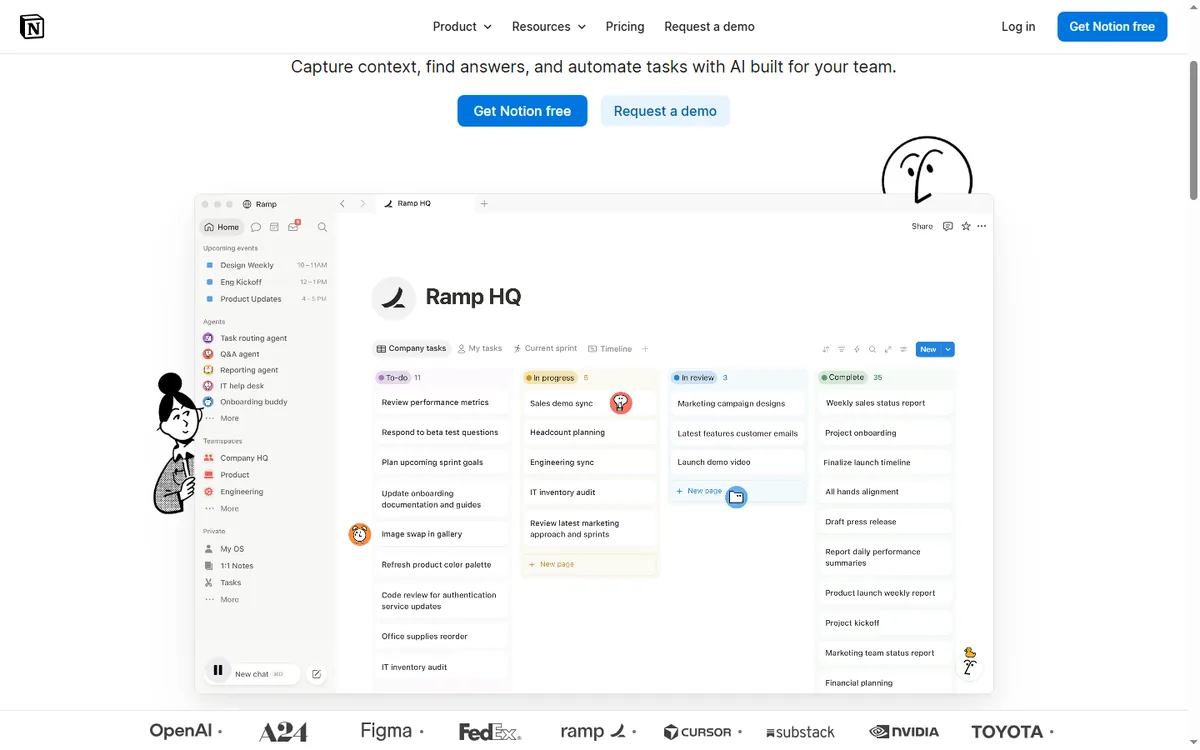
Notion is an all-in-one workspace: docs, notes, wikis, databases, projects, calendars, and AI in one tool. It is built for knowledge work and collaboration, with powerful databases that can power project tracking, CRMs, and internal wikis. Pricing is per seat per month: Free $0, Plus $10, Business $20, Enterprise custom (billed yearly), with Notion AI credits included on Business (1,500 standard credits per month).
GoHighLevel is an all-in-one platform for agencies and SMBs. It includes a full CRM with pipelines and custom fields, funnels and websites, email marketing, SMS, call tracking, phone, voice AI, surveys, reputation management, and automation workflows. It is designed to run client operations end to end, with automation built around the same contacts and pipelines you already manage.
Pricing Compared
| Plan | Monthly Price | Key Limits | Best For |
|---|---|---|---|
| GoHighLevel Starter | $97/month | 3 sub-accounts, core CRM, funnels, email, SMS, unlimited contacts | SMBs |
| GoHighLevel Unlimited | $297/month | Unlimited sub-accounts, full funnels + websites + phone | Agencies |
| GoHighLevel Agency Pro | $497/month | SaaS mode, whitelabel, advanced features | Reselling agencies |
| Notion Free | $0 | Docs, notes, wikis, basic databases, 7-day page history | Individuals |
| Notion Plus | $10/seat/month | Unlimited blocks, custom forms, sites, charts, 30-day history | Small teams |
| Notion Business | $20/seat/month | Notion AI, custom agents, admin controls, 90-day history | Growing teams |
| Notion Enterprise | Custom | SCIM, advanced security, audit log, unlimited AI credits options | Large orgs |

Notion prices per seat, so the bill grows with headcount. A 10-person team on Business costs about $200 per month, with 15,000 standard AI credits per month included at that tier. GoHighLevel charges a flat rate with unlimited contacts, seats, and sub-accounts, and automation is included in the core subscription. For an agency running many clients and users, GoHighLevel is often cheaper at scale; for a knowledge-first team, Notion’s per-seat pricing with a free tier is attractive.
CRM and Sales Workflow
Notion is not a sales-first CRM, but its databases are famously flexible: many teams build a Notion CRM with pipelines, properties, and views. It works well for lightweight deal tracking, notes, and client wikis. For serious sales operations with email, SMS, and multi-channel follow-up, you would often pair Notion with a dedicated CRM.
GoHighLevel is CRM-first, with pipelines, custom fields, opportunities, tasks, and per-contact activity history across email, SMS, calls, forms, and payments. It adds marketing and fulfillment layers that Notion does not have: funnels, websites, email campaigns, surveys, and reputation management. If your business runs on pipeline management plus client marketing and delivery, GoHighLevel gives you the whole system.
Build a Lead-to-Client Intake Flow in GoHighLevel
This is the automation an agency builds when a prospect fills out a discovery form and books a call. It replaces the manual copy-paste between a form tool, an inbox, and a Notion database. The flow uses one form, one calendar, and several workflow steps.
- Trigger: Form Submitted on the form named “Agency Discovery Intake.” The form asks for name, email, phone, company, monthly budget, and service interest. Action: Add Contact Tag ‘discovery-intake’ and Create/Update Opportunity in the pipeline stage ‘New Lead.’
- Action: Send SMS to the contact: ‘Thanks {{contact.first_name}}, your intake landed. Pick a call time here: {{custom_values.booking_link}}.’ Action: Send Email with the subject ‘Your discovery call with our team’ and the body ‘Hi {{contact.first_name}}, we received your intake for {{contact.company}}. Use the link to book a 20-minute call.’
- Wait: 15 minutes. If/Else: check whether the contact has the tag ‘appointment-booked.’ If no, Action: Send SMS ‘{{contact.first_name}}, still want to talk? Here is the calendar again: {{custom_values.booking_link}}.’ If yes, Action: Go To the confirmation branch.
- Trigger: Customer Booked Appointment on the calendar named “Discovery Call.” Action: Add Contact Tag ‘appointment-booked’ and Remove Contact Tag ‘discovery-intake.’ Action: Assign to User the account manager who owns the service interest.
- Action: Send SMS ‘{{contact.first_name}}, you are booked for {{appointment.start_time}} with our team. Reply here if you need to move it.’ Action: Send Email with the same details and a short agenda. Action: Internal Notification to the assigned user: ‘New discovery call booked with {{contact.company}}.’
- Wait: until 24 hours before the appointment time. Action: Send SMS ‘Quick reminder: your call is tomorrow at {{appointment.start_time}}. Reply YES to confirm or call us to reschedule.’ If/Else: if the contact replies with ‘YES,’ Action: Add Contact Tag ‘confirmed.’ If no reply after 4 hours, Action: Add Task for the account manager to phone the prospect.
- Trigger: Appointment Status changes to ‘Showed.’ Action: Send SMS ‘Thanks for the call, {{contact.first_name}}. Here is the proposal link we mentioned: {{custom_values.proposal_link}}.’ Action: Create/Update Opportunity to stage ‘Proposal Sent.’ Wait: 2 days. Action: Send Email ‘Checking in on the proposal for {{contact.company}} — any questions I can answer?’
- If/Else: if the opportunity stage changes to ‘Won,’ Action: Send SMS ‘Welcome aboard, {{contact.first_name}}. Your onboarding form is here: {{custom_values.onboarding_link}}.’ Action: Add Contact Tag ‘client-onboarding’ and Add to Workflow ‘Client Onboarding.’ If the stage changes to ‘Lost,’ Action: Send Email ‘Thanks for considering us, {{contact.first_name}}. I will close your file for now and check back in 90 days.’
Measure three numbers: the percentage of intake forms that turn into a booked call within 24 hours, the show rate on the discovery calendar, and the days between a booked call and a proposal sent. In GoHighLevel, those numbers live in the workflow stats and the pipeline report, so the agency owner can see where the flow stalls. For a comparison of the automation layer against a dedicated connector tool, read GoHighLevel vs Zapier.
Two Illustrative Scenarios: A Phoenix Agency and a Portland Studio
Imagine a marketing agency in Phoenix with 14 employees and 22 retainer clients. The team uses Notion Business at $20 per seat monthly, so the workspace bill is $280 monthly. Client intake forms live in a separate form tool, email campaigns run through a standalone email service at $150 per month, and SMS reminders are sent manually by two account managers. The agency loses about six leads a month because a form submission sits in an inbox until someone copies it into the Notion CRM database. At an average retainer of $1,800 per month, even one recovered lead covers the tool cost.
The owner maps the intake form to a GoHighLevel workflow, moves each client into a sub-account, and sets a flat $297 per month on the Unlimited plan. The email service and form tool are canceled, saving $150 per month. The projected arithmetic is simple: $297 minus the $150 saved leaves a net new cost of $147 per month, and the agency no longer pays per seat as it hires. This is an example scenario, not a record of real outcomes.
Imagine a content studio in Portland, Oregon, with five writers and three retainer clients. The team lives in Notion Plus at $10 per seat per month, or $50 per month total. They draft articles, store client style guides, and track deadlines in a database. They have no sales pipeline, no SMS list, and no landing pages. Moving to GoHighLevel at $97 per month would add $47 per month and a new learning curve for a team that does not need funnels or phone calls.
The studio keeps Notion and adds a simple form tool only when a client asks for lead capture. The arithmetic favors the workspace: $50 per month versus $97 per month, with no lost revenue because the studio does not run outbound marketing. This is also an illustrative scenario. For a closer look at how GoHighLevel compares to another workspace-style tool, see GoHighLevel vs ClickUp.
Docs, Wiki, and Knowledge
Notion is a leader in docs and knowledge management. Pages, sub-pages, wikis, databases, templates, and a rich block editor make it a favorite for internal documentation, SOPs, and team knowledge bases. The Notion Marketplace has 30,000+ templates, and AI features help summarize, draft, and search.
GoHighLevel is not a documentation platform. It focuses on client operations: sub-accounts per client, pipelines, funnels, email, and automation. You can store notes and files on contacts and use snapshot templates, but if your primary need is deep knowledge management and team documentation, Notion is the better fit.
Automation and AI
Notion automation is relatively simple: buttons, database property rules, and integrations (e.g., forms to databases). Business plan adds custom agents and Notion AI (1,500 standard credits per month), AI meeting notes, and worker capabilities. It is knowledge-work oriented, not a full marketing automation engine.
GoHighLevel workflows are contact-centric and multi-channel. They trigger on contact behavior across email, SMS, calls, forms, page visits, and payments, then run email, SMS, internal actions, and even AI voice. One workflow can send an email, log a call, and update a pipeline at the same time. For agencies and SMBs, GoHighLevel automation is more aligned with the client lifecycle, because it is native to the CRM and messaging stack.
Integration Ecosystem
Notion integrates with Slack, Google Drive, Figma, GitHub, Zapier, Make, and more, plus an API for custom connections. It is popular in modern stack workflows, especially for docs, wikis, and knowledge bases.
GoHighLevel has a native marketplace, API, webhooks, and works with Zapier and Make itself when you need external connections. Its native integrations cover what agencies and SMBs typically need, and you can still connect it to the wider ecosystem. If your stack is heavily knowledge-work based, Notion’s integrations are tightly tailored to that.
Funnels, Email, and SMS
Notion is not a landing page, email marketing, or SMS platform. It does not build funnels or send campaigns. You would connect a separate funnel builder, email service, and SMS tool through integrations.
GoHighLevel bundles funnels, websites, email marketing, SMS, surveys, and reputation management into the core subscription. You can launch a landing page, send an email sequence, and track the lead in the pipeline without leaving the platform. For SMBs and agencies, GoHighLevel’s built-in marketing stack removes a lot of Notion-style stitching.
Agency and Multi-Client Use
GoHighLevel is built for agencies. Sub-accounts give each client an isolated workspace with its own CRM, funnels, sites, and automations. On Agency Pro you get SaaS mode and white-label capabilities to resell the platform. Managing dozens of client accounts inside one system is the core design.
Notion is popular with agencies as an internal knowledge and project hub. You can create client wikis, SOPs, and project databases. However, there is no white-label reseller model in the same sense, and it is not a client-facing marketing platform.
Match the Tool to Your Daily Work
- Pick GoHighLevel if you run an agency, SMB, or service business that wants one flat-rate tool covering client management, sales pages, messaging, and workflows.
- Choose by team: Notion prices per seat and grows with headcount; GoHighLevel is a flat rate with unlimited seats.
- Choose by stack: if you want one operating platform, GoHighLevel consolidates; if your team mainly lives in docs and knowledge, Notion is the leader.
A practical way to decide: map your operation. If your team runs on docs, wikis, and knowledge collaboration and already has marketing tools, Notion is a fast, affordable answer. If you want CRM, funnels, email, and SMS in one place with automation around your clients, GoHighLevel gives you more for the money.
Where GoHighLevel and Notion Each Win
- GoHighLevel bundles client management, sales pages, messaging, and workflows under one roof.
- GoHighLevel: flat pricing with unlimited contacts and seats.
- GoHighLevel: agency sub-accounts, white label, and SaaS mode.
- GoHighLevel: multi-channel automation around the client lifecycle.
- Notion: flexible docs, wikis, databases, and AI collaboration.
- Notion: generous free plan and per-seat pricing with templates.
Where Each Platform Falls Short
- GoHighLevel: broader platform means a steeper initial learning curve.
- GoHighLevel: not a docs, wiki, or knowledge management platform.
- Notion: per-seat pricing grows with headcount and gets expensive.
- Notion: not a native CRM, marketing automation, or funnel platform.
- Notion: automations are simpler and knowledge-work oriented.
FAQ
Is GoHighLevel better than Notion? If you need CRM, landing pages, chat, and automation in a single tool, GoHighLevel tends to be the better fit. For teams that need powerful docs, knowledge management, and collaboration, Notion is the stronger, more flexible tool.
Can GoHighLevel replace Notion? For many common use cases, yes. GoHighLevel has pipelines, tasks, and automation plus marketing tools you would not get from Notion. If your team strongly depends on Notion’s docs and databases, you may keep both and sync data.
Which is cheaper, GoHighLevel or Notion? GoHighLevel starts at $97/month flat with unlimited contacts, seats, and sub-accounts. Notion has a Free plan, Plus at $10 per seat per month, and Business at $20 per seat per month, so cost depends on your team size and feature needs.
Does GoHighLevel integrate with Notion? You can connect GoHighLevel and Notion through APIs and integration tools like Zapier or Make, so you can keep both in sync if you use them together.
Which is better for an agency? GoHighLevel, because of sub-accounts, white label, SaaS mode, and the unified CRM. Notion is excellent as an internal knowledge and project hub for agencies.
Can I use GoHighLevel and Notion together? Yes, they complement each other: GoHighLevel runs your marketing and client operations, and Notion serves as your team’s knowledge base, docs, and collaboration workspace.
Who Should Walk Away From Each Tool
If your team lives inside documents, wikis, and flexible databases, and you already have marketing tools that send email and SMS, GoHighLevel is the wrong purchase. The same is true for a small studio with no outbound sales motion. But if you run an agency or service business with many client accounts and you want CRM, funnels, email, SMS, and automation under one flat rate, go ahead and build on GoHighLevel.
Disclaimer: We are an independent review site. Some links in this article are affiliate links, and we may earn a commission at no extra cost to you if you purchase through them. We only recommend tools we test in real client operations.
About the Author

Antonio Vance is B2B SaaS Operations Director & Lead Reviewer (SaaSFlowLab Editorial Team). He has spent 8+ years deploying and auditing enterprise CRM, marketing automation, and email deliverability infrastructures for digital agencies. At SaaSFlowLab, he builds each review from the vendors’ published pricing pages, help-center documentation and changelogs, cross-checks them against verified user reviews, and re-checks prices and plan limits every month.