
Executive Summary
Most teams assume the automation tool with the most app connections wins the GoHighLevel vs Make decision. That belief breaks down the moment you count what happens after the scenario fires. Make gives you 3,500+ apps and credit-based pricing, which is real power for technical teams moving data between systems. GoHighLevel gives you a client operating system: CRM, funnels, messaging, and workflows under one flat monthly price with unlimited contacts. The question is not which builder is stronger. It is whether your automation is the center of your client operation or a layer underneath it.
- Best For: agencies and growing businesses that want CRM, funnels, email, SMS, and automation in one managed system (GoHighLevel); technical teams and integrators that need flexible visual automation across many apps with credit-based pricing (Make).
- Pricing: GoHighLevel $97/$297/$497 per month with unlimited contacts; Make starts free with 1,000 credits/month and prices by credit usage (Core/Pro/Teams, Enterprise custom).
- Strength (GHL): native CRM, funnels, email, SMS, and automation tied to the client lifecycle.
- Strength (Make): powerful visual scenario builder with 3,500+ apps and precise credit-based control.
Below we compare both platforms across pricing, automation, integration ecosystem, CRM, funnels and marketing, agency use cases, and learning curve, then give a clear verdict for different buyer profiles.
Table of Contents
- The Real Split: Client Lifecycle vs Data Plumbing
- Two Buyer Philosophies Behind GoHighLevel vs Make
- A Scenario Builder and an Agency Operating System
- Pricing Compared
- Automation Capabilities
- The Follow-Up Workflow You Build in GoHighLevel
- Two Scenarios That Show the Split
- Integration Ecosystem
- CRM and Contact Management
- Funnels, Email, and SMS
- Agency and Multi-Client Use
- What You Must Learn Before Either Tool Pays Off
- Match the Tool to Where Your Automation Lives
- Where Each Platform Earns Its Keep
- FAQ
- The Verdict for Agencies and for Integrators
The Real Split: Client Lifecycle vs Data Plumbing
For an agency or growing business that needs a complete operating system, GoHighLevel is the stronger value: CRM, funnels, email, SMS, and automation live in one platform with unlimited contacts. For a technical team or integrator that needs flexible, precise visual automation across many apps and APIs, Make is the stronger tool, with deep scenario control and credit-based pricing. In 2026, the deciding factor is whether automation is the center of your sales-and-marketing engine (GoHighLevel) or a general integration layer across your entire stack (Make).

Two Buyer Philosophies Behind GoHighLevel vs Make
A buyer who picks Make usually starts from the data side. They have a stack of apps that must talk to each other, a technical person who owns the connections, and a budget logic built on credits. Each action has a cost, so they think in volume and efficiency. The tool belongs to the integrator or the ops engineer, not the sales team. Reporting depth and fine-grained scenario control matter more than a pretty pipeline view.
A buyer who picks GoHighLevel starts from the client side. They run an agency or a service business with many client accounts, and they want speed: a funnel, an email sequence, an SMS follow-up, and a pipeline that all share one contact timeline. The budget logic is flat. One monthly price covers unlimited contacts and seats, so adding a client sub-account does not trigger a new credit calculation. The tool belongs to the operator who talks to clients.
Each philosophy breaks down at its edge. Make’s credit model gets hard to forecast when scenarios run heavy and often, and it lacks a built-in CRM, funnel builder, email sender, and SMS channel, so the buyer still pays for those elsewhere. GoHighLevel’s automation is contact-centric, not built for complex data pipelines across many systems, and its breadth makes the first week feel wide.
The practical test is where the automation sits. If it wraps the client lifecycle, GoHighLevel consolidates the stack. If it moves data between many systems, Make stays in the picture, and some teams run both. For a closer look at the CRM-first path, see GoHighLevel vs HubSpot.
A Scenario Builder and an Agency Operating System
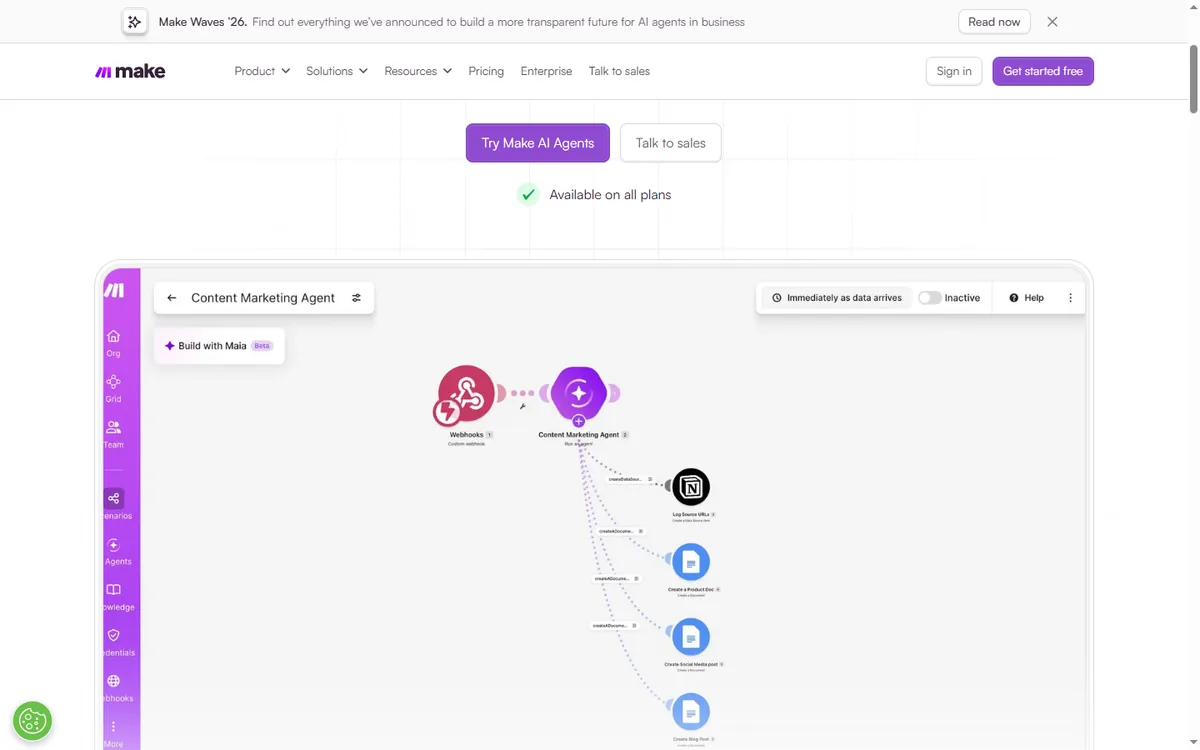
In Make, a scenario begins with a trigger, such as a new row in Google Sheets, and then passes through modules that reshape data and link apps together. It is known for powerful data operations, routers, iterators, aggregators, and fine-grained control, and it integrates with 3,500+ apps. Pricing is credit-based: each action consumes credits, with a free plan of 1,000 credits per month.
GoHighLevel is an all-in-one platform for agencies and SMBs. It includes a full CRM with pipelines and custom fields, funnels and websites, email marketing, SMS, call tracking, phone, voice AI, surveys, reputation management, and automation workflows. It is designed to run client operations end to end, with automation built around the same contacts and pipelines you already manage.
Pricing Compared
| Plan | Monthly Price | Key Limits | Best For |
|---|---|---|---|
| GoHighLevel Starter | $97/month | 3 sub-accounts, core CRM, funnels, email, SMS, unlimited contacts | SMBs |
| GoHighLevel Unlimited | $297/month | Unlimited sub-accounts, full funnels + websites + phone | Agencies |
| GoHighLevel Agency Pro | $497/month | SaaS mode, whitelabel, advanced features | Reselling agencies |
| Make Free | $0/month | 1,000 credits/month, visual workflow builder, 3,500+ apps | Hobby / light use |
| Make Core | Credit-based | Unlimited active scenarios, scheduled scenarios, more data transfer | Individuals |
| Make Pro | Credit-based | Priority execution, custom variables, full-text execution log search | Power users |
| Make Teams | Credit-based | Teams and roles, shared templates, collaboration | Small teams |
| Make Enterprise | Custom | Custom functions, enterprise app integrations, 24/7 support | Large organizations |
As of October 2026, Make prices by credit usage: every action in a scenario consumes credits, with the free plan including 1,000 credits per month and paid plans (Core, Pro, Teams) priced per 1,000 credits with added entitlements for data transfer, storage, and webhook queue. Enterprise pricing is custom. GoHighLevel charges a flat monthly rate with unlimited contacts and seats, and automation is included in the core subscription. For an operator who runs many client workflows with heavy email, SMS, and CRM automation, GoHighLevel flat pricing is more predictable; for a technical team that automates high volumes of data operations across many apps, Make credit-based pricing may be cheaper per action.
Automation Capabilities
Make is a powerhouse for visual automation. Scenarios give you fine-grained control: routers, iterators, aggregators, filters, and custom data manipulation. It is excellent for complex data pipelines and API work, and it is a favorite among integrators. The learning curve is real, but the capability is deep.
GoHighLevel workflows are contact-centric and multi-channel. They trigger on contact behavior across email, SMS, calls, forms, page visits, and payments, then run email, SMS, internal actions, and even AI voice. One workflow can send an email, log a call, and update a pipeline at the same time. For agencies and SMBs, GoHighLevel automation is more aligned with the client lifecycle, because it is native to the CRM and messaging stack.
If your automation is primarily technical data integration across many apps, Make is the stronger tool. If your automation is marketing and sales follow-up around your contacts, GoHighLevel is more practical and removes the need to stitch together email, SMS, and CRM tools.
The Follow-Up Workflow You Build in GoHighLevel
This is the contact-centric automation that Make does not run natively. It starts on a form and ends with a booked call, and every message is written out so you can paste it into the builder.
- Trigger: Form Submitted on ‘Free Audit Request’. Action: Add Contact Tag ‘audit-lead’. Action: Create/Update Opportunity in pipeline ‘Client Audits’ at stage ‘New Lead’.
- Action: Send SMS within 2 minutes: ‘Hi {{contact.first_name}}, your audit request landed. I am pulling your site now and will send the first findings today. Reply here if you want a call instead.’
- Wait: 20 minutes. If/Else: check whether the contact replied. If yes, Action: Assign to User and Internal Notification to the owner. If no, continue.
- Action: Send Email with subject ‘Your audit is in progress’ and body ‘Hi {{contact.first_name}}, I am reviewing your funnel and will send three fixes by tomorrow. If you would rather talk it through, grab a slot here.’
- Wait: until the next day at 9:00 AM in the contact’s time zone. Action: Send SMS: ‘Morning {{contact.first_name}}, the audit is ready. Want me to walk you through it on a 15-minute call?’
- Trigger: Customer Booked Appointment on calendar ‘Audit Call’. Action: Send SMS: ‘You are booked for {{appointment.start_time}}. I will call you at that number.’ Action: Add Task for the assigned user to prepare the audit.
- Wait: until 24 hours before the appointment. Action: Send SMS: ‘Quick reminder, {{contact.first_name}}: your audit call is tomorrow at {{appointment.start_time}}. Reply Y to confirm or N to reschedule.’
- Trigger: Appointment Status changed to ‘No Show’. Action: Send SMS: ‘Missed you at {{appointment.start_time}}, {{contact.first_name}}. Want to try another slot this week?’ Action: Create/Update Opportunity stage to ‘Reschedule’.
- Trigger: Appointment Status changed to ‘Completed’. Action: Send Review Request. Action: Add Contact Tag ‘audit-done’. Action: Remove from Workflow.
Measure three numbers: reply rate on the first SMS, booking rate from the day-two message, and no-show rate after the 24-hour reminder. Tag every branch so you can compare them without guessing. Make would need separate connections for the form, the email service, the SMS tool, and the calendar, plus a CRM to hold the contact record, because it has no native CRM, funnels, email, or SMS of its own.
Two Scenarios That Show the Split
Imagine a 14-person marketing agency in Austin, Texas, with 22 client sub-accounts. The team runs each client’s funnel, email, and SMS inside GoHighLevel, but the ops lead also pays for Make to sync form leads into a Google Sheet and a billing tool. The Make bill climbs as credits burn on every sync, and nobody can say which client’s volume caused the spike. Moving the lead handoff into a GoHighLevel workflow with a webhook step removes one credit meter from the stack, and the flat monthly price stays the same as client count grows. This is a hypothetical example, not a report of a real engagement.
Imagine a 6-person integrator in Denver, Colorado, that builds data pipelines for e-commerce clients. Their work is routers, iterators, and API calls across many apps, and Make’s 3,500+ app library is the reason they win projects. They add GoHighLevel only as the CRM and messaging layer for their own sales follow-up, not for client data work. The arithmetic is simple: keep Make for the pipelines, pay one flat GoHighLevel rate for the contact side, and stop stitching a separate email and SMS tool into the stack. For the integration-first view, read GoHighLevel vs Zapier.
Integration Ecosystem
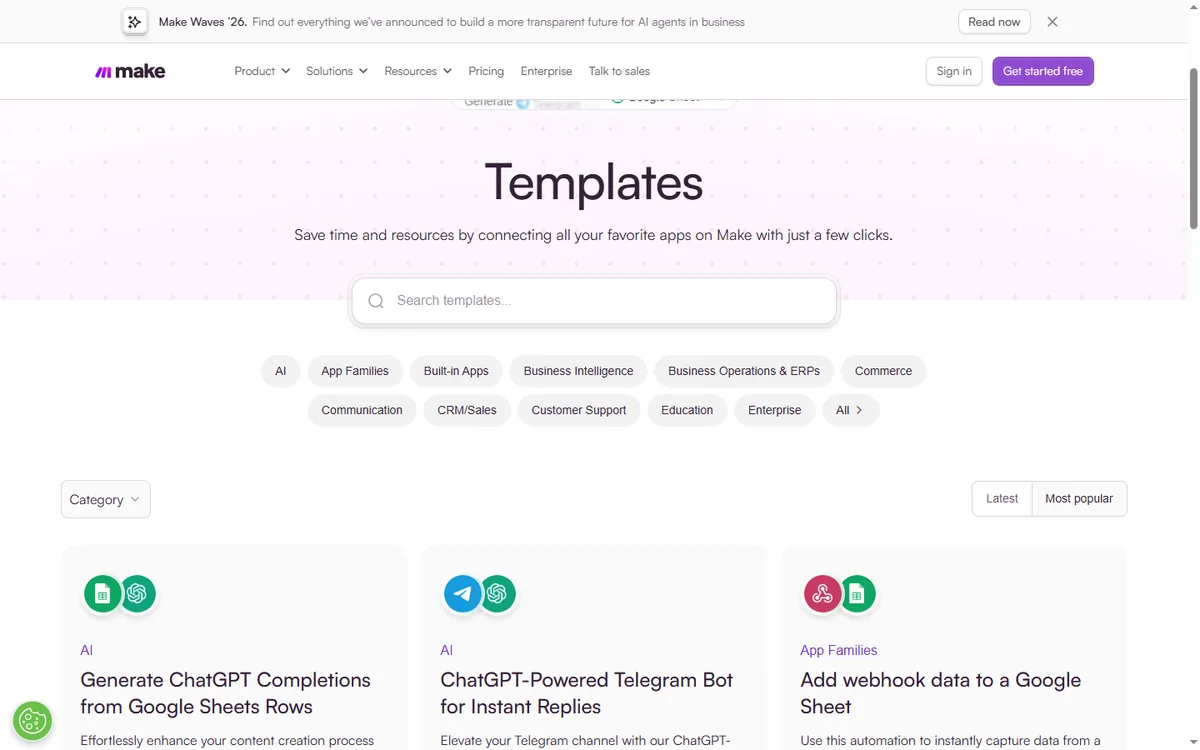
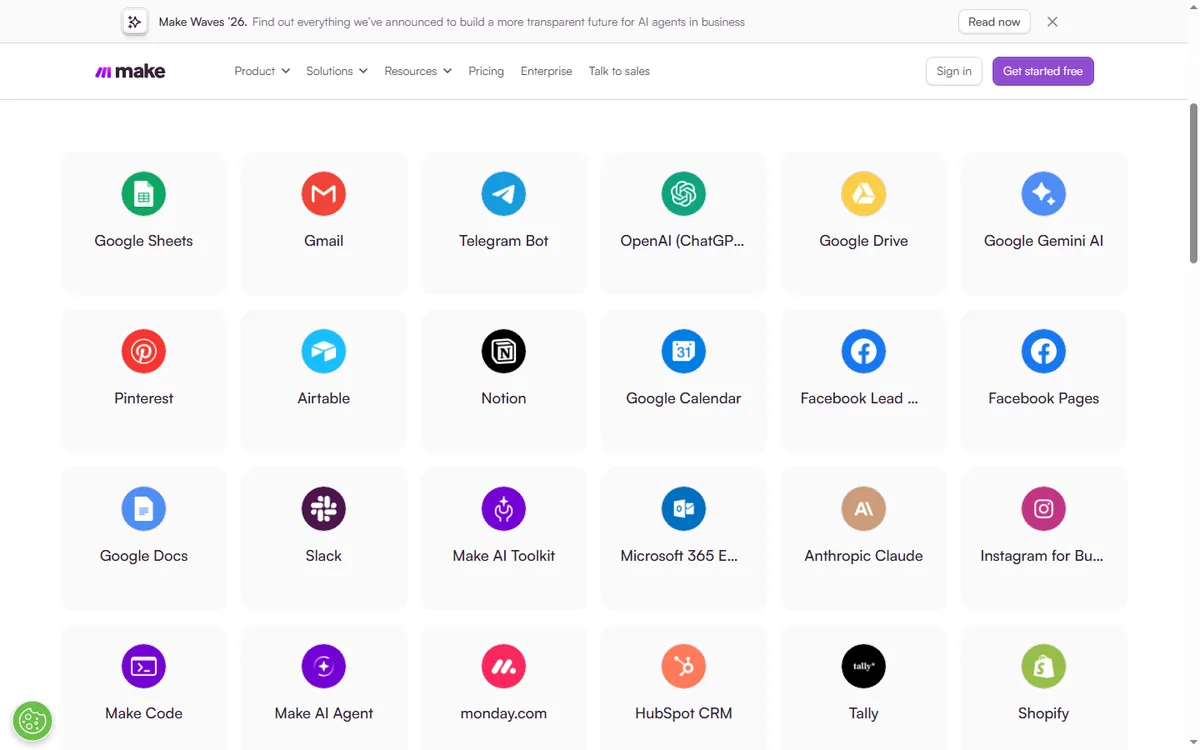
Make connects 3,500+ apps, with a strong library of modules, plus custom apps and 300+ REST API endpoints. It is a serious integration platform for connecting almost any SaaS tool, internal systems, and data sources.
GoHighLevel has a native marketplace, API, webhooks, and works with Zapier and Make itself when you need external connections. Its native integrations cover what agencies and SMBs typically need, and you can still connect it to the wider ecosystem. However, it does not match Make’s breadth for complex data integration projects.
CRM and Contact Management
Make does not have a CRM. It connects to CRMs and moves data between them. The system of record is whichever CRM you connect.
GoHighLevel is CRM-first. Pipelines, custom fields, opportunities, tasks, and per-contact activity history across email, SMS, calls, forms, and payments are native. For agency client work, each client gets its own sub-account with an isolated CRM workspace. If your business runs on pipeline management, GoHighLevel gives you the CRM that Make assumes you already have.
Funnels, Email, and SMS
Make is not a marketing platform. It does not build landing pages, send email campaigns, or manage SMS. You would connect a separate funnel builder, email service, and SMS tool through scenarios.
GoHighLevel bundles funnels, websites, email marketing, SMS, surveys, and reputation management into the core subscription. You can launch a landing page, send an email sequence, and track the lead in the pipeline without leaving the platform. For SMBs and agencies, GoHighLevel’s built-in marketing stack removes a lot of Make-style stitching.
Agency and Multi-Client Use
GoHighLevel is built for agencies. Sub-accounts give each client an isolated workspace with its own CRM, funnels, sites, and automations. On Agency Pro you get SaaS mode and white-label capabilities to resell the platform. Managing dozens of client accounts inside one system is the core design.
Make is not a multi-tenant agency platform. It is a per-organization automation tool. An agency can build scenarios for clients, but there is no white-label reseller model and each client needs its own organization or connection. For an agency delivery operation, GoHighLevel is the cleaner fit.
What You Must Learn Before Either Tool Pays Off
Make has a steep learning curve for advanced scenarios: routers, iterators, aggregators, and data mapping take time to master. The free plan gives you room to experiment, and Make provides templates, an academy, and community resources. There is also a dedicated Start-up Plan with 50% off Business for smaller teams under 20 employees.
GoHighLevel has a broader but more approachable scope for operators. You learn the CRM, funnels, websites, and workflows as a system, and HighLevel provides free training, an academy, and a large agency community. Most operators find the platform clickable within a few days.
Match the Tool to Where Your Automation Lives
- Pick GoHighLevel if you run an agency, SMB, or service business that wants one flat-priced system covering client management, landing pages, messaging, and workflow automation.
- Technical teams and integrators who need precise credit-based control over visual workflows spanning many apps and APIs should pick Make.
- Choose by workflow: if automation is around your client lifecycle, GoHighLevel consolidates; if it is general data integration, Make is more powerful.
- Choose by pricing model: flat monthly with unlimited contacts (GoHighLevel) versus credit-based usage (Make).
A practical way to decide: map your workflows. If your automation is mostly sales and marketing follow-up around contacts, GoHighLevel is the faster, cheaper answer. If your automation is technical data movement between many systems, Make gives you the flexibility you need, and you can still use GoHighLevel as your CRM.
Where Each Platform Earns Its Keep
- GoHighLevel bundles CRM, funnels, email, SMS, and automation under a single flat monthly rate.
- GoHighLevel: flat pricing with unlimited contacts and seats.
- GoHighLevel: agency sub-accounts, white label, and SaaS mode.
- GoHighLevel: multi-channel automation around the client lifecycle.
- Make: powerful visual scenario builder with fine-grained control.
- Make: 3,500+ app integrations and credit-based flexibility.
Where Each Platform Leaves You Short
- GoHighLevel: less technical data-integration depth than Make.
- GoHighLevel: steeper learning curve due to platform breadth.
- Make: credit-based pricing can be complex to forecast.
- Make: no native CRM, funnels, email, or SMS.
- Make: not built as a multi-client agency platform.
FAQ
Is GoHighLevel better than Make? When a business wants client management, landing pages, messaging, and workflow automation unified under one roof, GoHighLevel tends to win. Make suits integrators who prefer building automations visually and paying by credit.
Can GoHighLevel replace Make? For many common marketing and sales workflows, yes. GoHighLevel has native automation for email, SMS, forms, and internal actions, plus webhooks and integrations. If you need complex data pipelines across many systems, you may still use Make on top.
Which is cheaper, GoHighLevel or Make? GoHighLevel starts at $97/month flat with unlimited contacts and automated channels. Light usage on Make stays cheap because the free plan covers 1,000 credits monthly, but heavy scenarios push spend higher as credit consumption grows.
Does GoHighLevel integrate with Make? Yes, GoHighLevel connects to Make through the Make integration directory, API, and webhooks, so you can extend it into the broader ecosystem.
Which is better for an agency? GoHighLevel, because of sub-accounts, white label, SaaS mode, and the unified CRM. Make is a per-organization automation tool, not an agency delivery platform.
Can I use GoHighLevel and Make together? Yes, they complement each other: GoHighLevel runs your operations and CRM, and Make handles complex cross-app data automation.
The Verdict for Agencies and for Integrators
Every month you leave the contact side split across tools, you pay twice: once in credits or subscriptions, and again in the hours spent reconciling records that should share one timeline. The first step is small. List the three follow-ups your team sends by hand today, then rebuild the first one as a GoHighLevel workflow and watch where the replies land. For a like-for-like look at scheduling tools, see GoHighLevel vs vcita.
Disclaimer: We are an independent review site. Some links in this article are affiliate links, and we may earn a commission at no extra cost to you if you purchase through them. We only recommend tools we test in real client operations.
About the Author

Antonio Vance is B2B SaaS Operations Director & Lead Reviewer (SaaSFlowLab Editorial Team). He has spent 8+ years deploying and auditing enterprise CRM, marketing automation, and email deliverability infrastructures for digital agencies. At SaaSFlowLab, he builds each review from the vendors’ published pricing pages, help-center documentation and changelogs, cross-checks them against verified user reviews, and re-checks prices and plan limits every month.