
Executive Summary
Should you pay for a connector or for the whole system that runs your client work? If your day is spent moving data between five separate SaaS tools, Zapier is the right buy; if you want contacts, funnels, texting, and follow-up automation under one flat bill, GoHighLevel wins. The GoHighLevel vs Zapier decision comes down to where your automation lives: at the edges between apps, or at the center of your customer lifecycle.
- Best For: agencies and growing businesses that want CRM, funnels, email, SMS, and workflow automation inside one system (GoHighLevel); teams that need to connect many different SaaS tools and automate data movement between them (Zapier).
- Pricing: GoHighLevel $97/$297/$497 per month with unlimited contacts; Zapier starts free (100 tasks/month), Professional from $19.99/month, Team from $69/month, Enterprise custom.
- Strength (GHL): native automation tied to contacts, pipelines, funnels, and messaging inside one platform.
- Strength (Zapier): the largest integration ecosystem with thousands of apps and flexible multi-step workflows.
Below we compare both platforms across pricing, automation, integration ecosystem, CRM, funnels and marketing, agency use cases, and learning curve, then give a clear verdict for different buyer profiles.
Table of Contents
- Connector or Operating System: The Real Split
- Two Buyer Philosophies: Glue vs Engine
- What Zapier Moves vs What GoHighLevel Runs
- Pricing Compared
- GoHighLevel vs Zapier Automation Capabilities
- Build the Lead-to-Booking Flow in GoHighLevel
- Two Scenarios Where the Choice Flips
- Integration Ecosystem
- CRM and Contact Management
- Funnels, Email, and SMS
- Agency and Multi-Client Use
- Setup Time: Two-Step Zaps vs a Full Client Stack
- Map Your Stack Before You Pick a Side
- Where Each Tool Earns Its Keep
- FAQ
- The Bill That Decides It at Scale
Connector or Operating System: The Real Split
If you run an agency or a growing business that needs a full operating system, GoHighLevel is the stronger platform: your CRM, funnels, email, SMS, and automation live in one place with unlimited contacts. If your job is connecting many different software tools, Zapier is the stronger choice: it is the most flexible automation layer on the market for stitching apps together. In 2026, the deciding factor is whether you need automation as the center of your business engine (GoHighLevel) or as the glue between many tools you already use (Zapier).


Two Buyer Philosophies: Glue vs Engine
A buyer picks Zapier when the tools already work and the only missing piece is conversation between them. The team is small, the stack is settled, and the job is data movement: a new row becomes a task, a form entry becomes a CRM record. Budget logic is simple — pay for tasks, not seats, and start free. Day-to-day ownership usually lands on an ops lead or the founder, and reporting depth lives in the destination apps, not in Zapier.
A buyer picks GoHighLevel when the stack itself is the problem. Many client accounts, one login, one bill, and automation that fires on contact behavior rather than on app events. The decision-maker is usually an agency operator or a service business lead who wants texting, funnels, and pipeline updates to happen without three subscriptions. The price is flat, contacts are unlimited, and the reporting sits next to the pipeline it describes.
Each philosophy breaks down at its edge. Zapier gets expensive and brittle when task volume climbs and every new client needs its own connections; the glue becomes a maintenance job. GoHighLevel gets heavy when a team only needs two apps to talk and nothing else — the breadth becomes learning time you never recover. Neither failure is about features. It is about whether automation is the product or the plumbing. If your stack already centers on a sales CRM, the Close CRM comparison shows the same trade-off from a different angle.
What Zapier Moves vs What GoHighLevel Runs
Zapier lets you connect apps and automate tasks without code. You build Zaps with a trigger (for example, a new row in Google Sheets) and actions (send an email, create a task, update a CRM). It supports multi-step workflows, filters, formatting, and scheduling, and it integrates with more than 8,000 apps. It is the industry standard for no-code integrations between SaaS tools.
GoHighLevel is an all-in-one platform for agencies and SMBs. It includes a full CRM with pipelines and custom fields, funnels and websites, email marketing, SMS, call tracking, phone, voice AI, surveys, reputation management, and automation workflows. It is designed to run client operations end to end, with automation built around the same contacts and pipelines you already manage.

Pricing Compared
| Plan | Monthly Price | Key Limits | Best For |
|---|---|---|---|
| GoHighLevel Starter | $97/month | 3 sub-accounts, core CRM, funnels, email, SMS, unlimited contacts | SMBs |
| GoHighLevel Unlimited | $297/month | Unlimited sub-accounts, full funnels + websites + phone | Agencies |
| GoHighLevel Agency Pro | $497/month | SaaS mode, whitelabel, advanced features | Reselling agencies |
| Zapier Free | $0/month | 100 tasks/month, two-step Zaps, Tables and Forms included | Hobby / new users |
| Zapier Professional | From $19.99/month | Multi-step Zaps, unlimited premium apps, email and live chat support | Individuals |
| Zapier Team | From $69/month | 25 users, shared Zaps and folders, shared connections, SSO | Small teams |
| Zapier Enterprise | Custom | Unlimited users, advanced admin, annual task limits, dedicated support | Large organizations |

Zapier prices by task volume, not by features alone. The free plan gives you 100 tasks per month, and paid plans escalate by task count: 2K, 10K, 100K, and beyond. As your automation volume grows, so does your Zapier bill. GoHighLevel charges a flat rate with unlimited contacts and seats, and automation is included in the core subscription. For an operator who runs many workflows and client accounts, GoHighLevel is often cheaper at scale; for a team that only needs light integrations, Zapier’s free tier wins.
GoHighLevel vs Zapier Automation Capabilities
Zapier automation is event-driven and app-centric. You pick a trigger app and an action app, then add steps: filters, delays, paths, and formatting. It is excellent for moving data between tools, and the visual editor is approachable. For complex business logic, you may need multiple Zaps or a dedicated automation platform.
GoHighLevel workflows are contact-centric and multi-channel. They trigger on contact behavior across email, SMS, calls, forms, page visits, and payments, then run email, SMS, internal actions, and even AI voice. One workflow can send an email, log a call, and update a pipeline at the same time. For agencies and SMBs, GoHighLevel automation is more aligned with the client lifecycle, because it is native to the CRM and messaging stack.
If your automation is primarily about syncing data between many external apps, Zapier is the natural fit. If your automation is about marketing and sales follow-up around your contacts, GoHighLevel is more practical and eliminates the need to bolt many tools together.
Build the Lead-to-Booking Flow in GoHighLevel
Here is the sequence a service business or agency assembles when it swaps a patchwork of Zaps for native workflows. Every step uses a standard GoHighLevel building block.
- Trigger: Form Submitted (the main “Get a Quote” form on the client’s funnel page).
- Action: Send SMS — ‘Hi {{contact.first_name}}, thanks for reaching out to {{location.name}}. What day works best for a quick call? Reply with a time or STOP to opt out.’
- Action: Create/Update Opportunity in the “New Lead” pipeline stage, assigned to the on-call user.
- Wait: 10 minutes, fixed delay.
- If/Else: contact replied to the SMS. If yes, go to step 6. If no, go to step 7.
- Action: Internal Notification to the assigned user — ‘{{contact.name}} replied to the first text. Call now.’ Then Add Task due in 15 minutes and end this branch.
- Action: Send Email — ‘Still thinking it over? Pick a slot here’ with a booking link, then Wait until 24 hours before the appointment time.
- Trigger: Customer Booked Appointment (calendar connected to the funnel). Action: Send SMS — ‘You are booked for {{appointment.start_time}}. Reply C to confirm or R to reschedule.’
- Wait: until 24 hours before the appointment. If/Else: contact replied C. If yes, Add Contact Tag ‘confirmed’ and stop. If no, Send SMS — ‘Quick reminder about tomorrow at {{appointment.start_time}}. See you then?’
- Trigger: Appointment Status changed to showed. Action: Wait 2 hours, then Send Review Request. If status is no-show, Add Contact Tag ‘no-show’ and Add to Workflow ‘Rebooking’.
Measure three numbers in the first month: reply rate on the first SMS, booking rate from the email branch, and no-show rate after the confirmation text. A reply rate above 30 percent and a no-show drop of even a few points tell you the native flow is doing the job the Zaps used to do.
Running the same flow through Zapier means stitching each hop separately: a Zap for the form to CRM, another for the SMS tool, another for the calendar, and another for the review request. Each client account needs its own set of Zaps and connections, and every task counts against the plan.
Two Scenarios Where the Choice Flips
The two examples below are hypothetical illustrations, not accounts of work done for anyone.
Imagine a 12-person home services company in Ohio. Leads arrive through a website form and a Facebook page, then get copied into a spreadsheet by hand. The office manager spends about six hours a week on that copy-paste, and roughly a quarter of new leads never get a first call. With GoHighLevel, the form and the Facebook lead form both feed the CRM, a workflow texts the lead within a minute, and an opportunity appears on the pipeline. If faster first contact recovers just 8 of 40 monthly leads at an average job value of $450, that is $3,600 in work that used to leak away — before counting the six office hours saved.
Imagine a small web design studio in Portland, Oregon, with three staff members serving six retainer clients. Each client has a separate project management tool, invoicing app, and email platform, and the studio principal spends roughly five hours a week checking that data synced correctly between them. Moving those clients into sub-accounts inside GoHighLevel puts forms, email, and pipeline tracking in one workspace per client. If that cuts sync-checking from five hours to one hour a week, the studio recovers 16 hours a month — enough to take on one more retainer without hiring.
Integration Ecosystem
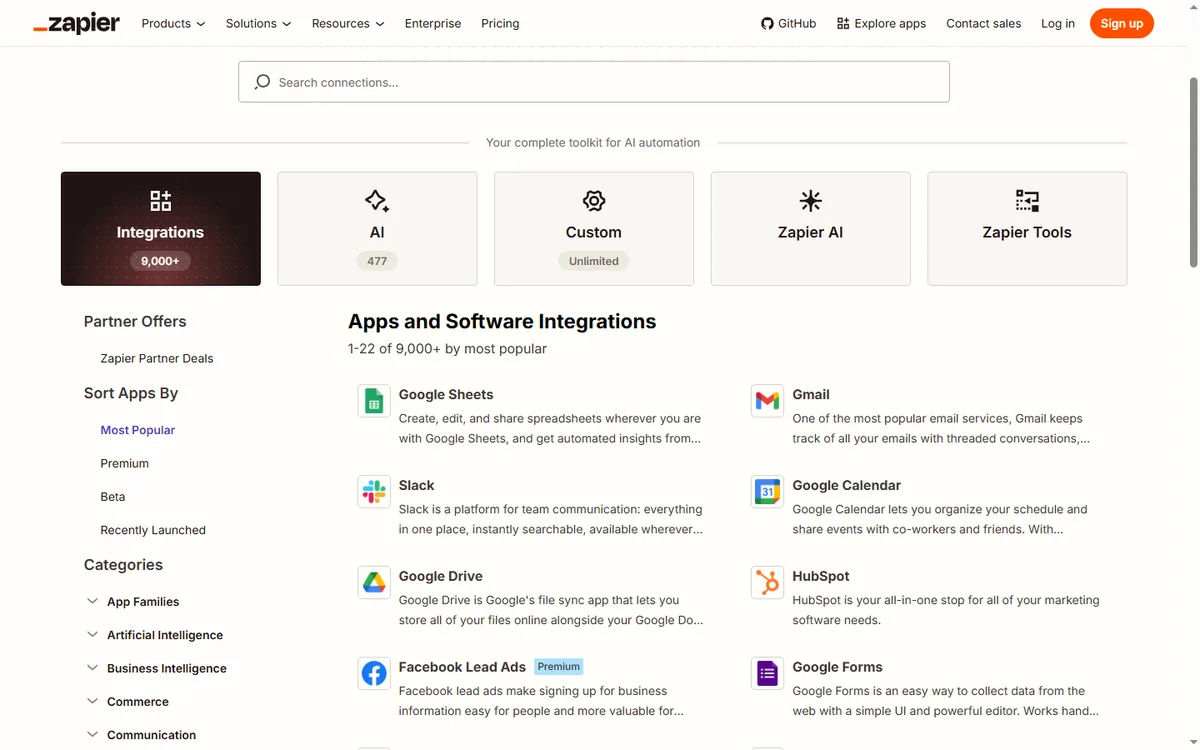
Zapier is the undisputed king of integrations: more than 8,000 apps, plus Tables, Forms, and a huge template library. If the tool you use has an API, there is probably a Zap for it. This makes Zapier the default choice for building a tech stack across dozens of SaaS products.
GoHighLevel has a native marketplace, API, webhooks, and works with Zapier and Make itself when you need external connections. Its native integrations cover what agencies and SMBs typically need, and you can still connect it to the wider ecosystem. However, it does not match Zapier’s breadth for connecting hundreds of niche apps.
CRM and Contact Management
Zapier does not have a CRM. It moves data between CRMs and other tools. You can use Zapier to keep contacts in sync, but the system of record is the CRM you choose.
GoHighLevel is CRM-first. Pipelines, custom fields, opportunities, tasks, and per-contact activity history across email, SMS, calls, forms, and payments are native. For agency client work, each client gets its own sub-account with an isolated CRM workspace. If your business runs on pipeline management, GoHighLevel gives you the CRM that Zapier assumes you already have.
Funnels, Email, and SMS
Zapier is not a marketing platform. It does not build landing pages, send email campaigns, or manage SMS. You would connect a separate funnel builder, email service, and SMS tool through Zaps.
GoHighLevel bundles funnels, websites, email marketing, SMS, surveys, and reputation management into the core subscription. You can launch a landing page, send an email sequence, and track the lead in the pipeline without leaving the platform. For SMBs and agencies, GoHighLevel’s built-in marketing stack removes a lot of Zapier stitching.
Agency and Multi-Client Use
GoHighLevel is built for agencies. Sub-accounts give each client an isolated workspace with its own CRM, funnels, sites, and automations. On Agency Pro you get SaaS mode and white-label capabilities to resell the platform. Managing dozens of client accounts inside one system is the core design.
Zapier is not a multi-tenant agency platform. It is a per-team integration tool. An agency can build Zaps for clients, but each client needs its own account or connection, and there is no white-label reseller model. For an agency delivery operation, GoHighLevel is the cleaner fit.
Setup Time: Two-Step Zaps vs a Full Client Stack
Zapier is easy to start: build a two-step Zap in minutes, and the free tier lets you experiment. The challenge is designing reliable multi-step automations at scale, which takes practice. Support on paid plans includes email and live chat on higher tiers.
GoHighLevel has more modules, so the initial learning curve is steeper. You learn the CRM, funnels, websites, and workflows alongside each other. However, HighLevel provides free training, an academy, and a large agency community, and most operators find the platform clickable within a few days.
Map Your Stack Before You Pick a Side
- Choose GoHighLevel if you run an agency, SMB, or service business that needs CRM, funnels, email, SMS, and automation in one system at a flat price.
- Pick Zapier when your priority is linking a wide range of SaaS products and moving data between them automatically, or when your current stack already works well for you.
- Choose by automation volume: Zapier costs scale with tasks; GoHighLevel includes automation in its flat price.
- Choose by system: if you want one operating platform, GoHighLevel consolidates; if you want flexible glue across apps, Zapier is the leader.
A practical way to decide: map your stack. If you already use five tools and just need them to talk to each other, Zapier is the fastest answer. If you want CRM, funnels, email, and SMS in one place with automation around your clients, GoHighLevel gives you more for the money.
Where Each Tool Earns Its Keep
- GoHighLevel bundles contact management, sales pages, email, texting, and workflow automation together.
- GoHighLevel: flat pricing with unlimited contacts and seats.
- GoHighLevel: agency sub-accounts, white label, and SaaS mode.
- GoHighLevel: multi-channel automation around the client lifecycle.
- Zapier: the largest integration ecosystem (8,000+ apps).
- Zapier: flexible multi-step workflows and a generous free tier.
Where Each Tool Leaves You Short
- GoHighLevel: far fewer niche integrations than Zapier.
- GoHighLevel: steeper learning curve due to platform breadth.
- Zapier: pricing scales with task volume and gets expensive.
- Zapier: no native CRM, funnels, email, or SMS.
- Zapier: not built as a multi-client agency platform.
FAQ
Is GoHighLevel better than Zapier? Agencies and businesses wanting an all-in-one system for contacts, funnels, messaging, and automation will generally find GoHighLevel the stronger fit. For teams that need to connect many different apps, Zapier is the stronger integration tool.
Can GoHighLevel replace Zapier? For many common workflows, yes. GoHighLevel has native automation for email, SMS, forms, and internal actions, and it offers webhooks and integrations. If you need to connect hundreds of niche apps, you may still use Zapier on top.
Which is cheaper, GoHighLevel or Zapier? GoHighLevel starts at $97/month flat with unlimited contacts and automated channels. Zapier starts free but prices by task volume; Professional is from $19.99/month and Team from $69/month, and high task volumes get expensive.
Does GoHighLevel integrate with Zapier? Yes, GoHighLevel has a Zapier integration and can also be connected through API and webhooks, so you can extend it into the broader ecosystem.
Which is better for an agency? GoHighLevel, because of sub-accounts, white label, SaaS mode, and the unified CRM. Zapier is a per-team integration tool, not an agency delivery platform.
Can I use GoHighLevel and Zapier together? Yes, they complement each other: GoHighLevel runs your operations and CRM, and Zapier connects it to the rest of your stack.
The Bill That Decides It at Scale
Watch one number in the first 30 days: hours spent maintaining automations versus hours spent on client work. If the maintenance line drops and replies or bookings rise, keep GoHighLevel. If you find yourself rebuilding the same connections you had before, cancel and stay with the connector. For a deeper stack comparison, see GoHighLevel vs HubSpot and GoHighLevel vs Mailchimp.
Disclaimer: We are an independent review site. Some links in this article are affiliate links, and we may earn a commission at no extra cost to you if you purchase through them. We only recommend tools we test in real client operations.
About the Author

Antonio Vance is B2B SaaS Operations Director & Lead Reviewer (SaaSFlowLab Editorial Team). He has spent 8+ years deploying and auditing enterprise CRM, marketing automation, and email deliverability infrastructures for digital agencies. At SaaSFlowLab, he builds each review from the vendors’ published pricing pages, help-center documentation and changelogs, cross-checks them against verified user reviews, and re-checks prices and plan limits every month.