Executive Summary
$97 is the number that settles the GoHighLevel Edge vs legacy plan confusion. That monthly figure is the Starter tier, and only Starter, Unlimited, and Founder are listed — nothing named Edge. The term edge shows up on the marketing site purely as general phrasing, never as a product name. Legacy works differently: it lives inside SaaS Mode, where the old Agency Plan became SaaS V1 and the newer SaaS Plan became SaaS V2. Anchoring on $97 keeps the whole comparison tied to real, billable tiers.
- Best For: agencies and business owners who want to understand HighLevel plan names, SaaS labels, and upgrade paths.
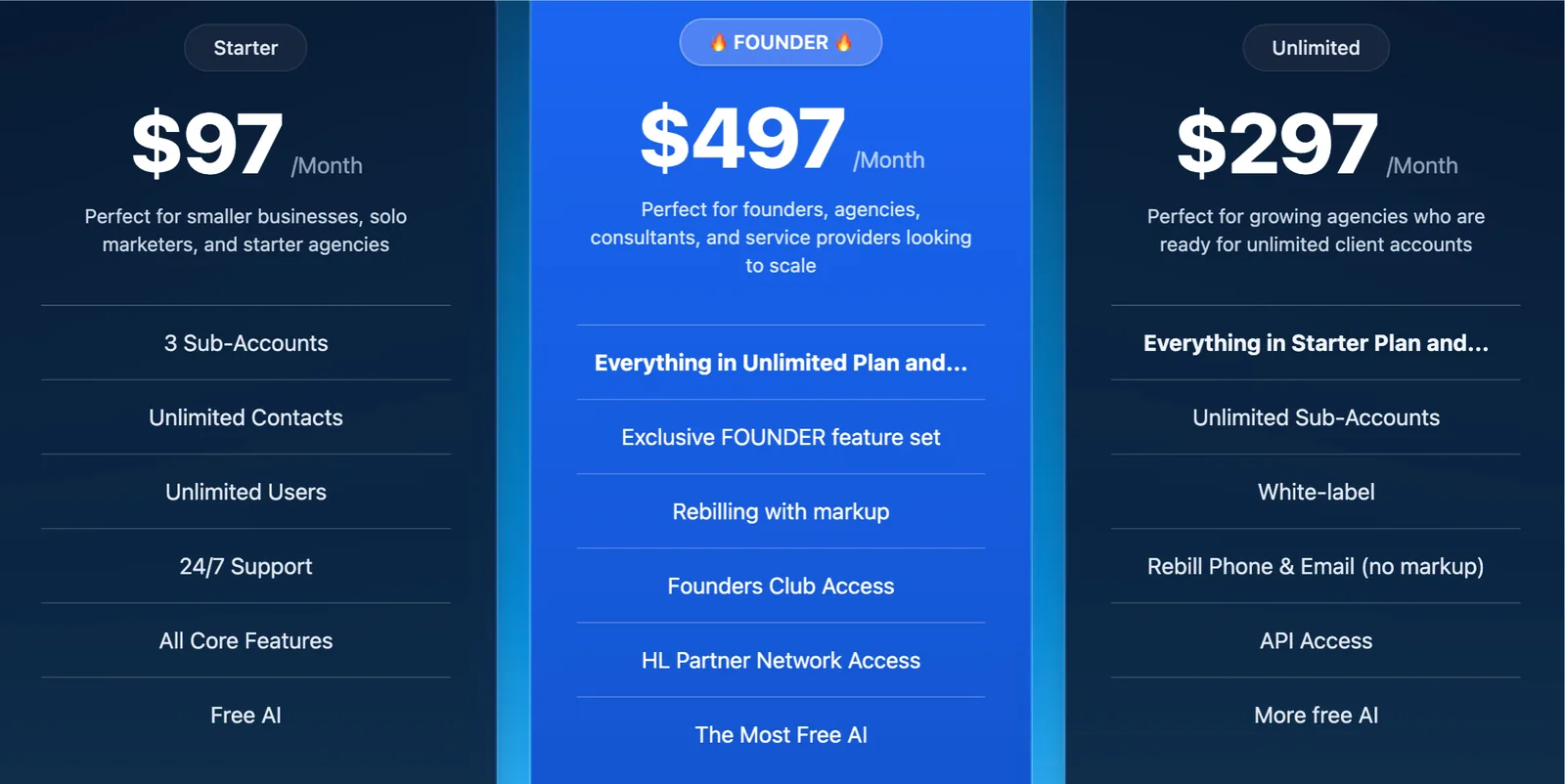
- Core Pricing: Starter $97/month, Unlimited $297/month, Founder $497/month, all with unlimited contacts and users.
- Key Clarification: Edge is not an official plan; legacy refers to the SaaS V1 (Agency Plan) label in SaaS Mode.
- Biggest Strength: predictable plan tiers with unlimited contacts and a clear upgrade path.
Below we cover the real plan structure, the SaaS V1 vs V2 labels, pricing and add-ons, and how to choose.
Table of Contents
- Is There a GoHighLevel Edge Plan?
- The Real GoHighLevel Plans in 2026
- GoHighLevel Edge vs Legacy Plan: SaaS V1 vs V2
- Starter vs Unlimited vs Founder
- What Add-Ons Really Add to Your Monthly Bill
- How to Upgrade or Switch Plans
- Build a Plan-Fit Check Inside GoHighLevel
- Two Agencies, Two Plan Decisions
- Which Plan Should You Choose?
- Who Should Pick Starter, Unlimited, or Founder
- FAQ
Is There a GoHighLevel Edge Plan?
No. There is no plan called Edge. The word edge appears on the marketing site only as a general phrase (for example, a cutting-edge platform), not as a product name.
If you saw Edge in a third-party article or a forum post, it was likely a misunderstanding, an outdated name, or marketing copy. The official plans in 2026 are Starter, Unlimited, and Founder.
The Real GoHighLevel Plans in 2026
HighLevel sells three subscription tiers, all with unlimited contacts and unlimited users.
| Plan | Price | What You Get |
|---|---|---|
| Starter | $97/month | 3 sub-accounts, core CRM and marketing, unlimited contacts and users |
| Unlimited | $297/month | Unlimited sub-accounts, basic API access, everything in Starter |
| Founder | $497/month | SaaS Mode, white label, advanced API, most AI features |
All plans include a 14-day free trial. The main difference is the number of sub-accounts and access to agency features like SaaS Mode and white label.
GoHighLevel Edge vs Legacy Plan: SaaS V1 vs V2
The word legacy in HighLevel shows up in SaaS Mode. In April 2026, HighLevel updated plan labels to reduce confusion: the old Agency Plan is now called the SaaS V1 Plan, and the old SaaS Plan is now called the SaaS V2 Plan.
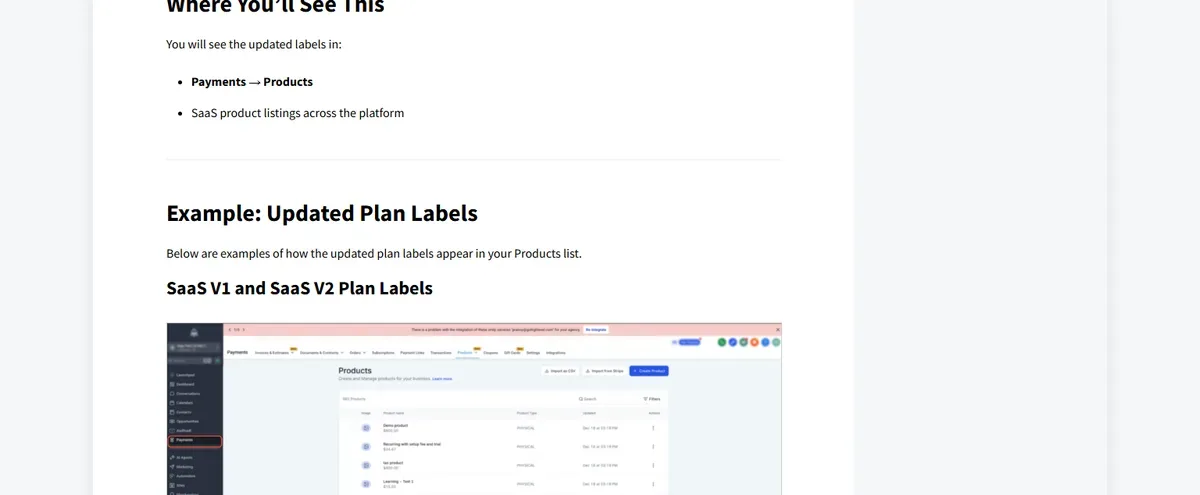
So when someone talks about a legacy plan in HighLevel, they usually mean the older SaaS V1 structure, not a separate subscription on the main pricing page. The update was automatic for all existing and new products. Understanding these legacy structures helps clarify how future promotions may work, as explained in this guide to the GoHighLevel Black Friday deal 2026.
- SaaS V1 Plan: previously called Agency Plan, the older structure for reselling HighLevel to clients.
- SaaS V2 Plan: previously called SaaS Plan, the newer structure with updated labels.
- Automatic update: labels updated across Payments, products, and the SaaS configurator.
If you are an agency that resells HighLevel, check whether your products are labeled V1 or V2 in the SaaS configurator. That is the real legacy distinction that matters for billing and client management.
Starter vs Unlimited vs Founder
The practical decision is between the three main tiers, not between Edge and Legacy.
Starter is enough for a single business owner or a new agency with up to 3 sub-accounts. Unlimited is the most popular choice for agencies because it removes the sub-account cap. Founder adds SaaS Mode and white label, which is what you need to resell the platform under your own brand.
- Starter: 3 sub-accounts, core CRM, email, SMS, funnels, calendar, reputation.
- Unlimited: unlimited sub-accounts, basic API, everything in Starter.
- Founder: SaaS Mode, white label, advanced API, rebilling, most AI.
What Add-Ons Really Add to Your Monthly Bill
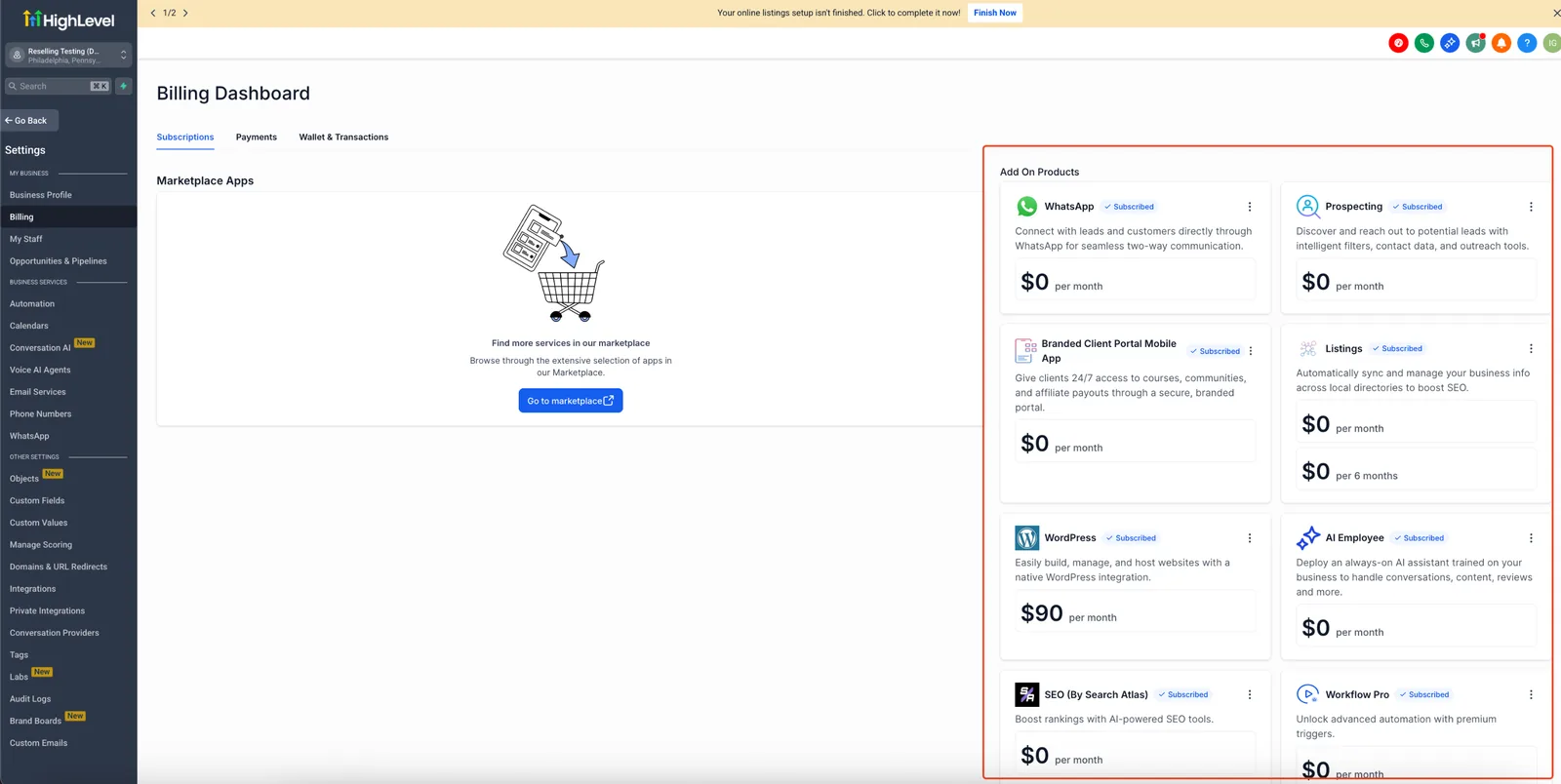
Beyond the base plan, HighLevel charges for usage and add-ons. Budget for these when you compare plans.
| Add-On | Price | What It Adds |
|---|---|---|
| AI Employee | $20-$97/month per sub-account | Conversation AI, Voice AI, AI agents |
| Dedicated IP | $59/month | Email deliverability |
| SEO | $79/month | Local SEO and listings |
| $10/month | WhatsApp messaging | |
| HIPAA | $297/month | Compliance |
| Premium support | $500/month | Priority support |
Email usage is billed at $0.675 per 1,000 emails, and phone/SMS is usage-based. Wallets, charges, and rebilling each have their own billing mechanics inside HighLevel.
How to Upgrade or Switch Plans
- Log in to your HighLevel account.
- Open billing in account settings.
- Choose the new plan (Starter, Unlimited, or Founder).
- Confirm the prorated charge for the remainder of your billing cycle.
- Check sub-account limits and SaaS labels after the switch.
Upgrades apply immediately. Downgrades usually take effect at the next billing cycle, and you may lose access to features like SaaS Mode if you move from Founder to a lower plan.
Build a Plan-Fit Check Inside GoHighLevel
Before you upgrade, let the platform tell you when a sub-account limit or feature gap is actually hurting you. This flow watches your account and pings you at the right moment.
- Trigger: Contact Tag (tag name ‘plan-review’) applied manually when you start wondering about an upgrade.
- Action: Send Email to yourself with the subject ‘Plan check started’ and the body ‘Review sub-account count and feature use this week.’
- Wait: fixed delay of 7 days.
- Action: Internal Notification to the account owner reading ‘Weekly plan check: count active sub-accounts and note any blocked features.’
- If/Else: if the contact has the tag ‘needs-saas’, go to the SaaS branch; otherwise continue to the standard branch.
- Action (standard branch): Add Task assigned to you titled ‘Compare Starter vs Unlimited sub-account count’ due in 2 days.
- Action (SaaS branch): Add Task titled ‘Check SaaS V1 vs V2 labels in configurator’ due in 2 days, then Send SMS ‘Your SaaS label review is due today. Open the configurator and confirm V1 or V2.’
- Wait: until the task due date.
- If/Else: if the task is marked complete, Remove Contact Tag ‘plan-review’; otherwise Send SMS ‘Plan review still open. Ten minutes now saves a billing surprise later.’
Measure two things: how many days pass between tagging and task completion, and how often the SaaS branch fires. A rising SaaS count means your reselling motion is outgrowing the base tiers. If you are still weighing the platform itself, read why some agencies leave before you lock in a year.
Two Agencies, Two Plan Decisions
These are illustrative scenarios, not accounts of real businesses.
Imagine a two-person marketing agency in Austin, Texas, running 11 client sub-accounts on Starter. Starter caps them at 3 sub-accounts, so they juggle extra logins and pay for workarounds. Moving to Unlimited at $297 removes the cap and adds basic API access. If the extra capacity lets them take on four more clients at a modest retainer, the plan pays for itself quickly. The arithmetic is simple: one new client at a few hundred dollars a month covers the $200 jump from Starter. Before you commit, it helps to compare current plan pricing side by side.
Imagine a solo consultant in Portland, Oregon, reselling GoHighLevel under her own brand to six local service businesses. She needs white label and rebilling, which only Founder unlocks at $497. If she bills each client a small platform fee on top of setup work, six clients at even $50 each brings in $300 a month toward the plan. Without Founder, she cannot put her logo on the platform at all.
Which Plan Should You Choose?
- Single business owner: Starter is usually enough with 3 sub-accounts.
- Growing agency: Unlimited removes the sub-account cap and adds API access.
- Reseller / SaaS agency: Founder unlocks SaaS Mode, white label, and rebilling.
- Enterprise / compliance: add HIPAA, dedicated IP, and premium support as needed.
Start with the 14-day free trial on the plan that matches your goal. You can upgrade later without losing your setup.
Who Should Pick Starter, Unlimited, or Founder
If you run a single business with one or two locations and no plans to resell, the Founder tier is the wrong buy; Starter covers you. If you resell under your own brand, Starter and Unlimited will block you, so go Founder. Everyone in between should start the 14-day trial on Unlimited, watch sub-account growth, and upgrade only when the cap bites. For a closer look at what the trial includes, see the free trial breakdown.
FAQ
Is there a GoHighLevel Edge plan? No. Starter costs $97/month, Unlimited costs $297/month, and Founder costs $497/month. Edge appears only as marketing language, not as a product.
What is the legacy plan in GoHighLevel? Legacy refers to the older SaaS V1 label (previously Agency Plan) in SaaS Mode. HighLevel updated labels in April 2026 to SaaS V1 and SaaS V2.
What is the difference between SaaS V1 and V2? SaaS V1 was previously the Agency Plan and SaaS V2 was previously the SaaS Plan. The labels were updated automatically to reduce confusion.
Can I upgrade from Starter to Unlimited? Yes. Upgrades apply immediately and you keep your sub-accounts and setup.
Is there a free trial? Yes, a 14-day free trial on any plan.
About the Author

Antonio Vance is B2B SaaS Operations Director & Lead Reviewer (SaaSFlowLab Editorial Team). He has spent 8+ years deploying and auditing enterprise CRM, marketing automation, and email deliverability infrastructures for digital agencies. At SaaSFlowLab, he builds each review from the vendors’ published pricing pages, help-center documentation and changelogs, cross-checks them against verified user reviews, and re-checks prices and plan limits every month.
Disclaimer: We are an independent review site. Some links in this article are affiliate links, and we may earn a commission at no extra cost to you if you purchase through them. We only recommend tools we test in real client operations.